Well prepared for the meeting, with everything in one place
Instead of a PDF bundle in your inbox you get one protected page per meeting, and several mandates run through one login.
- One protected link instead of a PDF pile
- An AI summary for every agenda item
- One login for all your mandates
Typical for: members of boards of directors, foundation boards, executive teams and committees, especially with several mandates.
A look insidePreparation from a member’s point of view









Before and after
How your preparation changes
Today
- A pile of PDF attachments in the invitation email
- You read everything before knowing what matters
- Notes live on printouts or in local PDFs
- Follow-up questions go by email to everyone
- You search old minutes PDFs for a past decision
- Every mandate has its own access and inbox
With HeyEla
- One protected link with all the meeting documents
- An AI summary shows what to decide per item
- Notes and highlights in the document, private or shared
- Questions sit on the document, colleagues reply right there
- The AI chat answers your question with its source
- One login gets you to all your mandates
Video
Asking past minutes a question
A question in everyday language, and HeyEla answers from past minutes and documents, with sources.
You take your seat knowing the documents well, even after a full week.
In detail
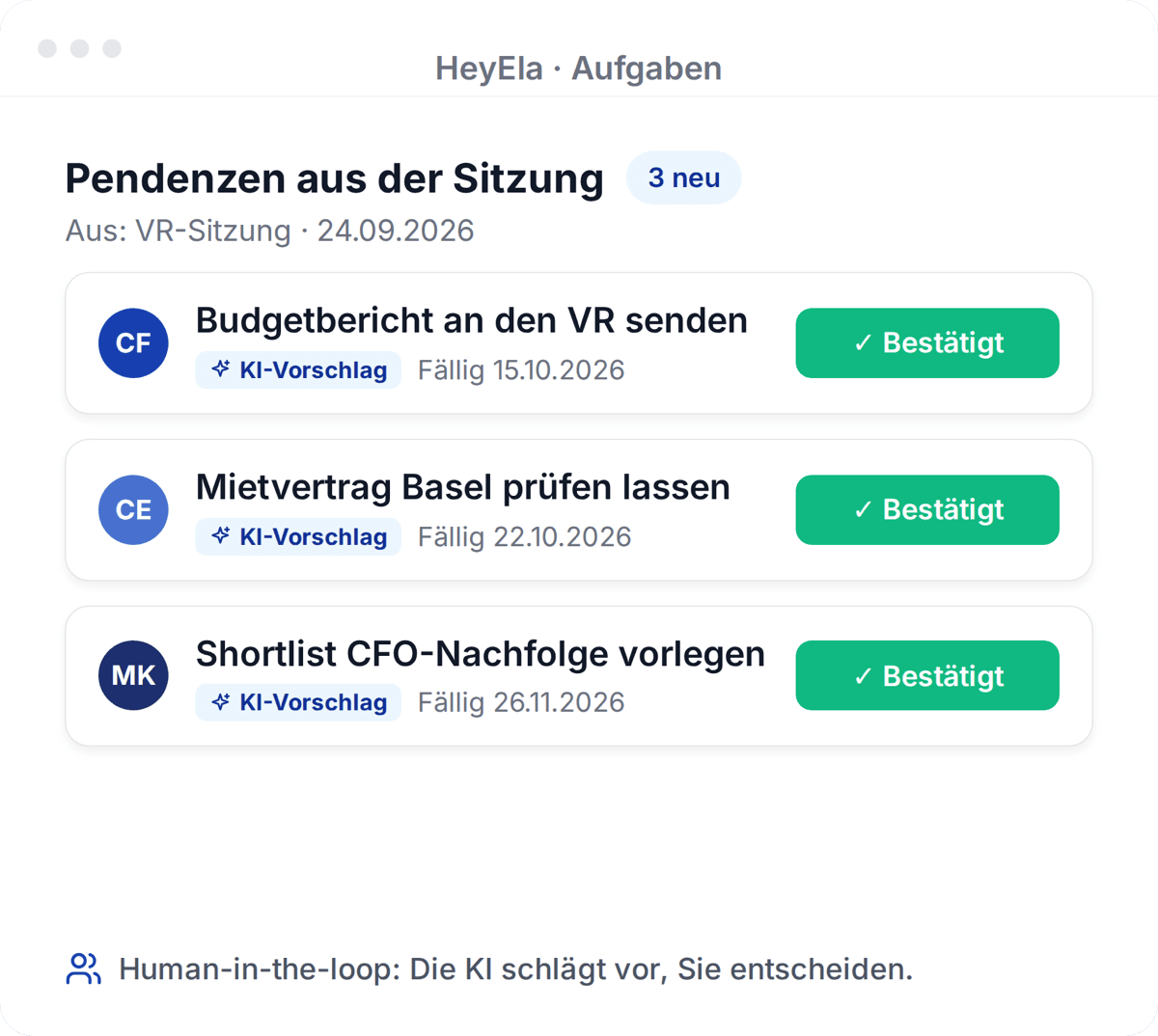
For every meeting HeyEla sends you an email with a protected link. Behind it are the agenda items, all documents and an AI summary for each agenda item. You highlight and comment directly in the document, ask the AI chat your questions and find earlier minutes, your action items and your other mandates in the same account. Nothing needs to be downloaded or saved locally.
The whole meeting on one page
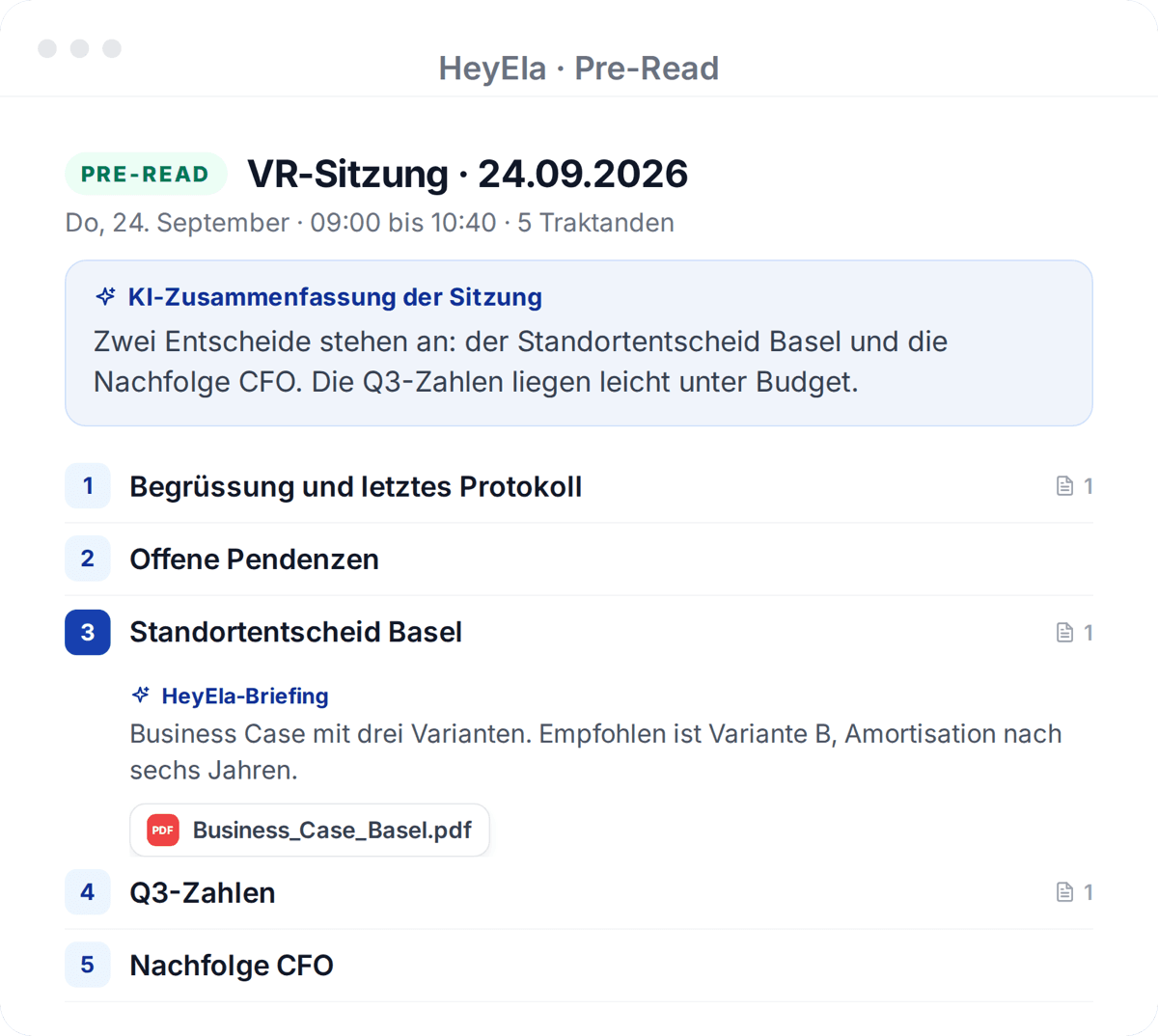
The pre-read summarises the meeting and gives each agenda item a briefing that reads its attachments. With your own prompt you get a personal summary.
Read moreShow less
At the top of the pre-read, HeyEla summarises the whole meeting in a few paragraphs. Each agenda item has its own briefing that reads all its attachments: what is being proposed, what needs to be decided and what to watch out for. If you want a different focus, such as the risks or the financial impact, you can have a personal summary created from your own instruction, visible only to you. You know before page one where you want to read more closely.
Work directly in the document
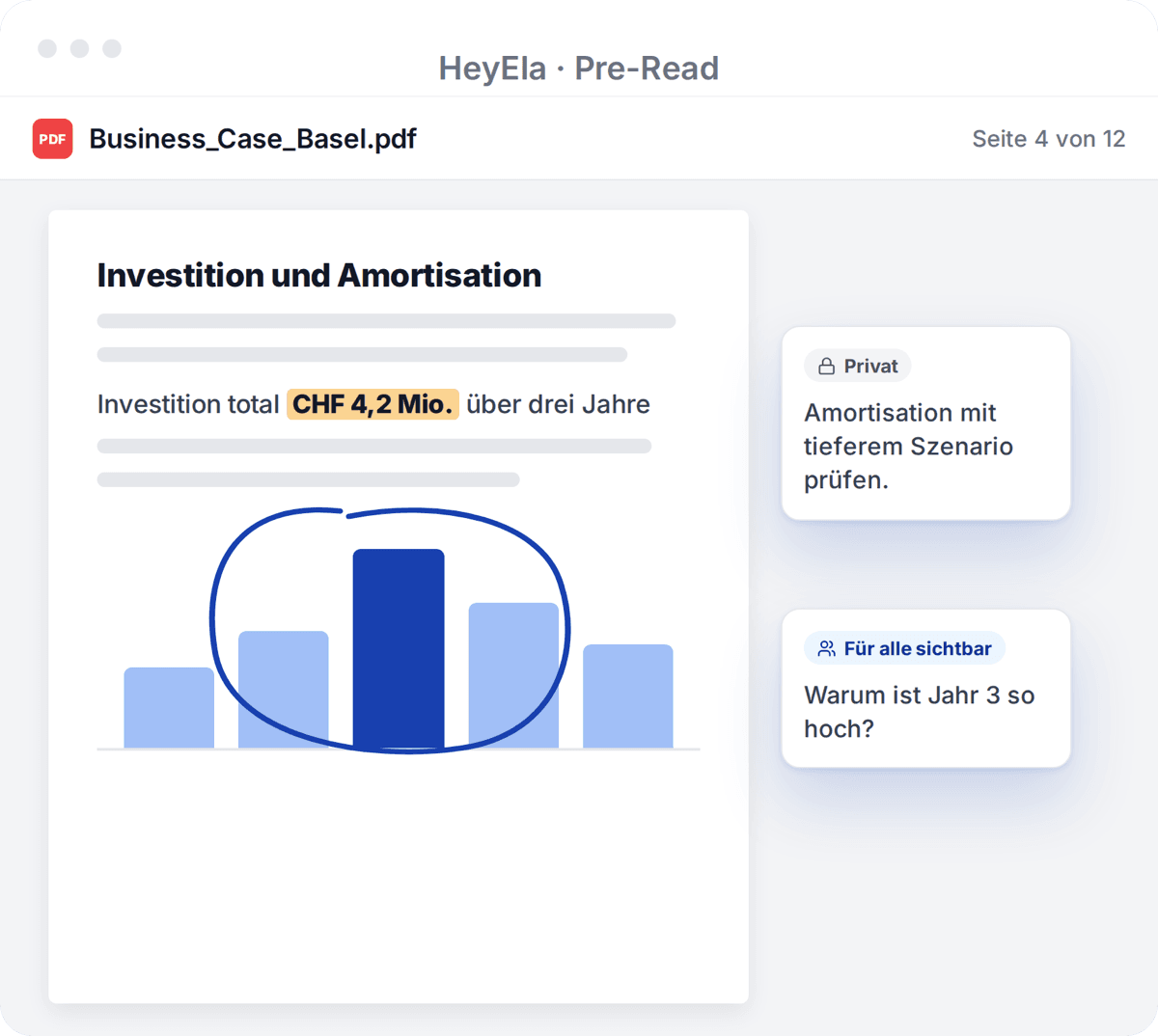
You highlight and comment directly in the document, on laptop, tablet or phone. For each note you decide whether it stays private or all invitees see it.
Read moreShow less
Documents open directly in the pre-read, on a laptop, tablet or phone. You highlight passages, pin notes to a specific spot, circle a figure in a chart and comment on the document, the agenda item or the meeting as a whole. For each note you decide whether it stays private or is visible to everyone invited. Colleagues reply directly to public comments, and some questions are settled before the meeting starts.
Questions for the documents and for past meetings
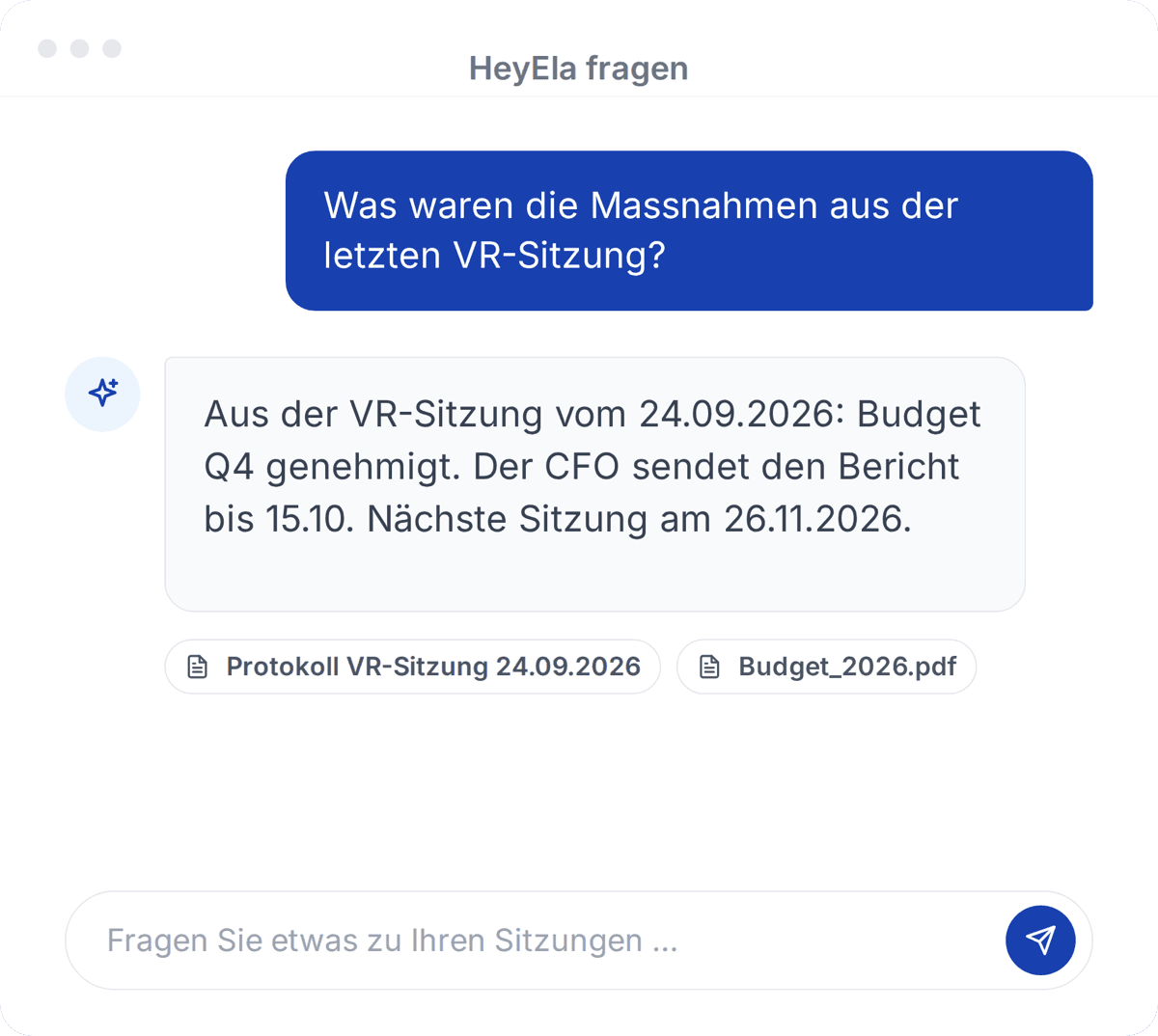
The AI chat knows the meeting and every document and answers with sources. With AI search you ask across all past meetings, within your access rights.
Read moreShow less
At the bottom of the pre-read, the AI chat knows this meeting and every attached document. You ask about the decisions required, the risks or the question you want to raise in the meeting, and get answers with clickable sources. With AI Search you ask across all meetings, for example “What did we decide about the site a year ago?”. The AI only sees what your role already allows.
Documents in the Document Hub, not in your inbox
Documents live in the board’s Document Hub rather than in your inbox or on your laptop. Hosting and AI processing are in Switzerland.
Read moreShow less
Everything that belongs to the meeting sits in the board’s Document Hub: one folder per meeting, plus articles of association, regulations and earlier minutes. You do not need to save attachments from emails or keep board documents on your own laptop to work with them. Everything can be summarised inside HeyEla, without copying a document into another AI tool. Hosting and AI processing are in Switzerland, and you see exactly what your role entitles you to.
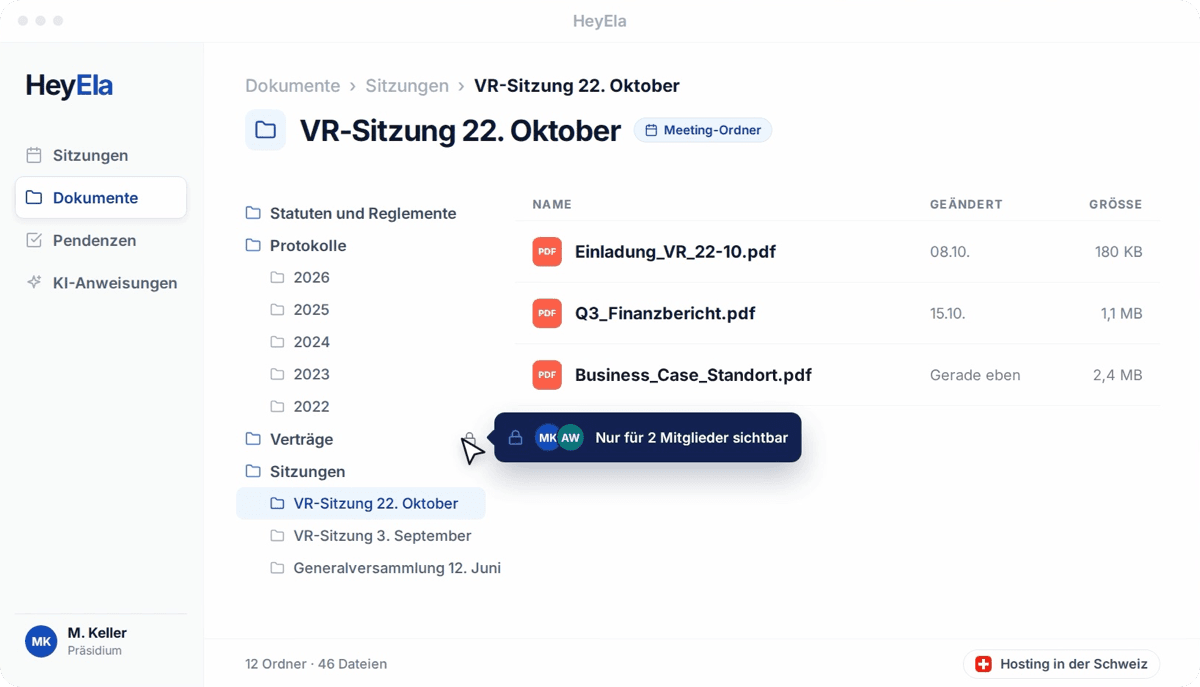
One login for all mandates
You link several mandates through the same email address. The dashboard shows meetings, minutes and action items of all boards, whose data stays strictly separate.
Read moreShow less
If you sit on several boards, you link your organisations through the same email address and switch with one click. The Multi-Board Dashboard shows your upcoming meetings, the latest minutes and your open action items across all mandates. Within each organisation you see the agenda of upcoming, current and past meetings. The data of each board stays strictly separate, and the dashboard only shows what you already have access to.
Feature in HeyEla
Multi-Board Dashboard
Overview of mandates, meetings and open tasks
View featureFrequently asked questions
Who can see my notes in the pre-read?
You decide per note. “Only me” keeps a note private, “Public” shares it with everyone invited to the meeting. You can edit or delete your own notes in HeyEla at any time.
Can I summarise board documents with AI without downloading them?
Yes. In the HeyEla pre-read you summarise agenda items and documents and ask questions about them without exporting anything or copying it into another tool. Hosting and AI processing are in Switzerland, and your data is contractually excluded from training AI models.
Do I need a separate login for each mandate?
No. In HeyEla you link your organisations through the same email address or an admin’s approval and switch with one click. The Multi-Board Dashboard shows meetings, minutes and action items across all mandates, while each organisation’s data stays strictly separate.
How do I find an earlier board decision?
With HeyEla’s AI Search you ask in plain language, for example “What did we decide about succession planning?”. The answer comes with its source, and one click opens the minutes or document. You only see content your role has access to.
Explore more
From the blog
24 October 2026
Data sovereignty in the board: CLOUD Act, revised FADP and where minutes and documents are kept
What the US CLOUD Act means for a board of directors, what the revised Swiss data protection act requires when AI is used, and what to ask a provider.
25 September 2026
Preparing board meetings: invitation, agenda and pre-read
What belongs in an invitation to a board meeting, how an agenda comes together and why a pre-read is more than a pile of attachments. With a sample agenda and a checklist for the board secretary.
18 August 2026
Organising board meetings in holding structures: what works
Several companies, several boards, often the same secretariat: how holdings organise board meetings across all entities without data getting mixed up.
Related use cases
Related features
Next step
See the pre-read from a member’s point of view
In a demo we open a pre-read the way your members would receive it, with the summary, notes in the document and the AI chat.