Executive team and board in one workflow
For CEOs and founders who lead the executive team and supply the board with content.
- Executive and board meetings in one workflow
- Reports land at the right agenda item
- Action items from both bodies in one place
Typical for: CEOs and managing directors, founders who also sit on the board, and executive team members who chair their own meetings.
A look insideHow executive team and board work in HeyEla
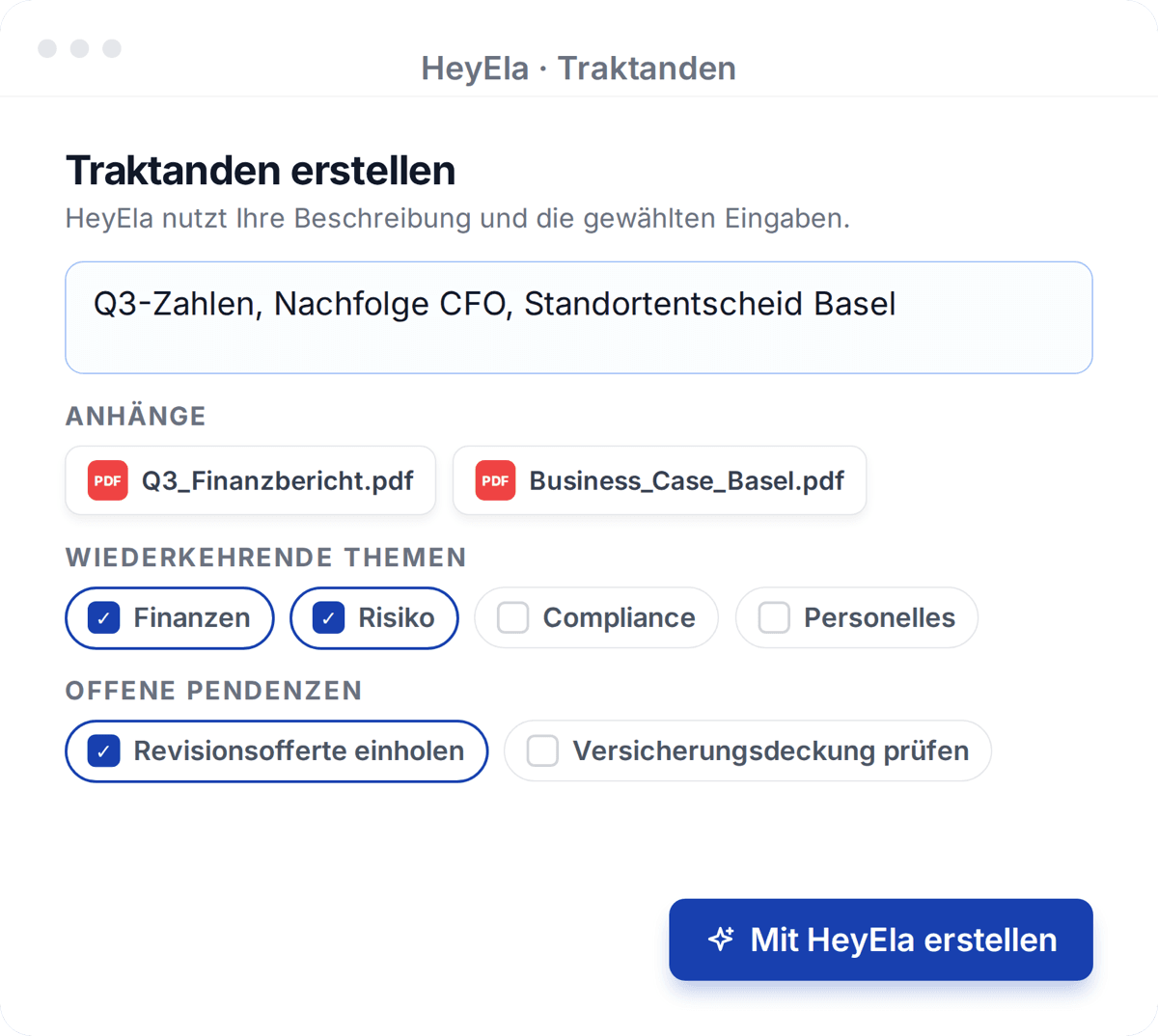
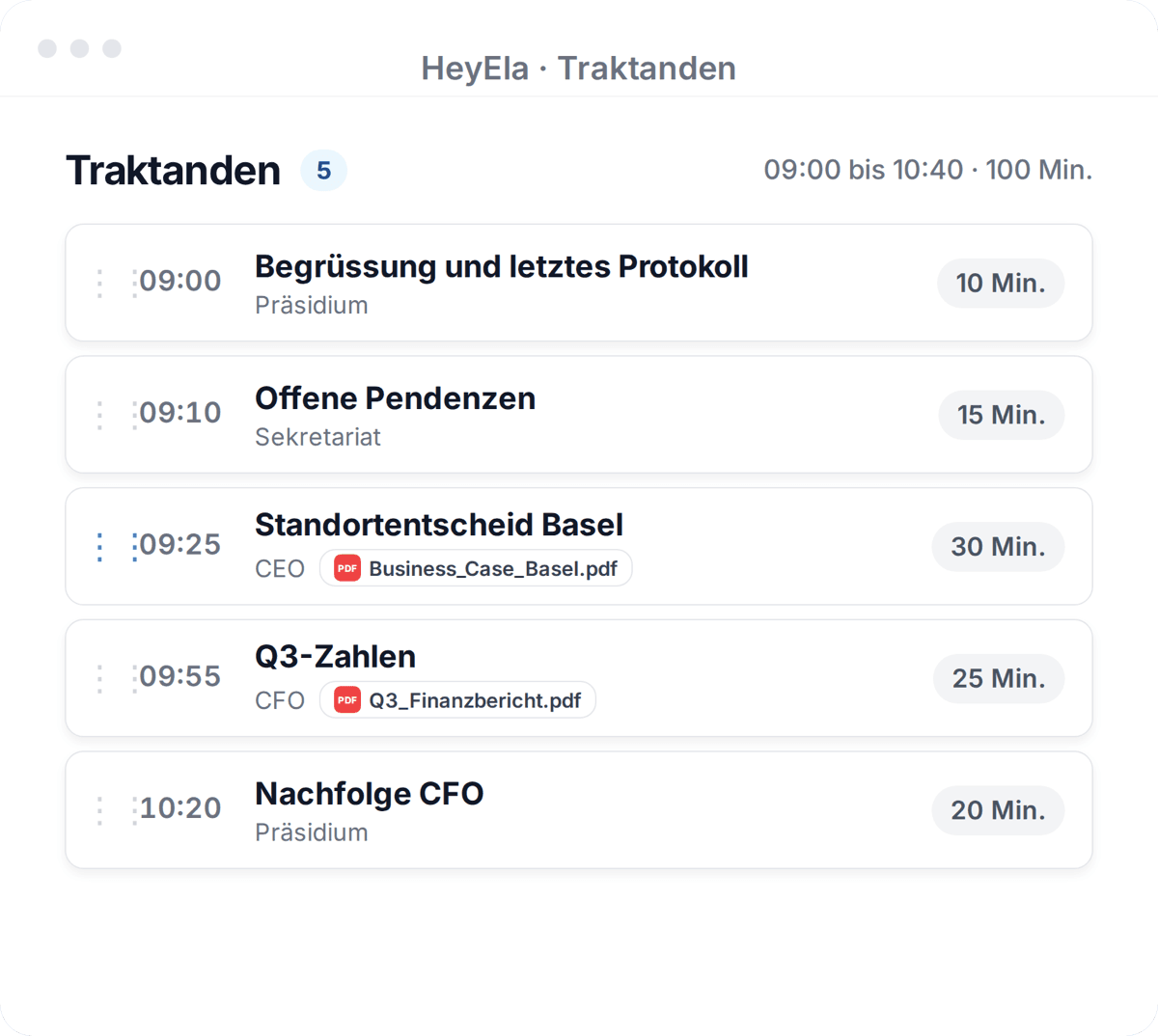
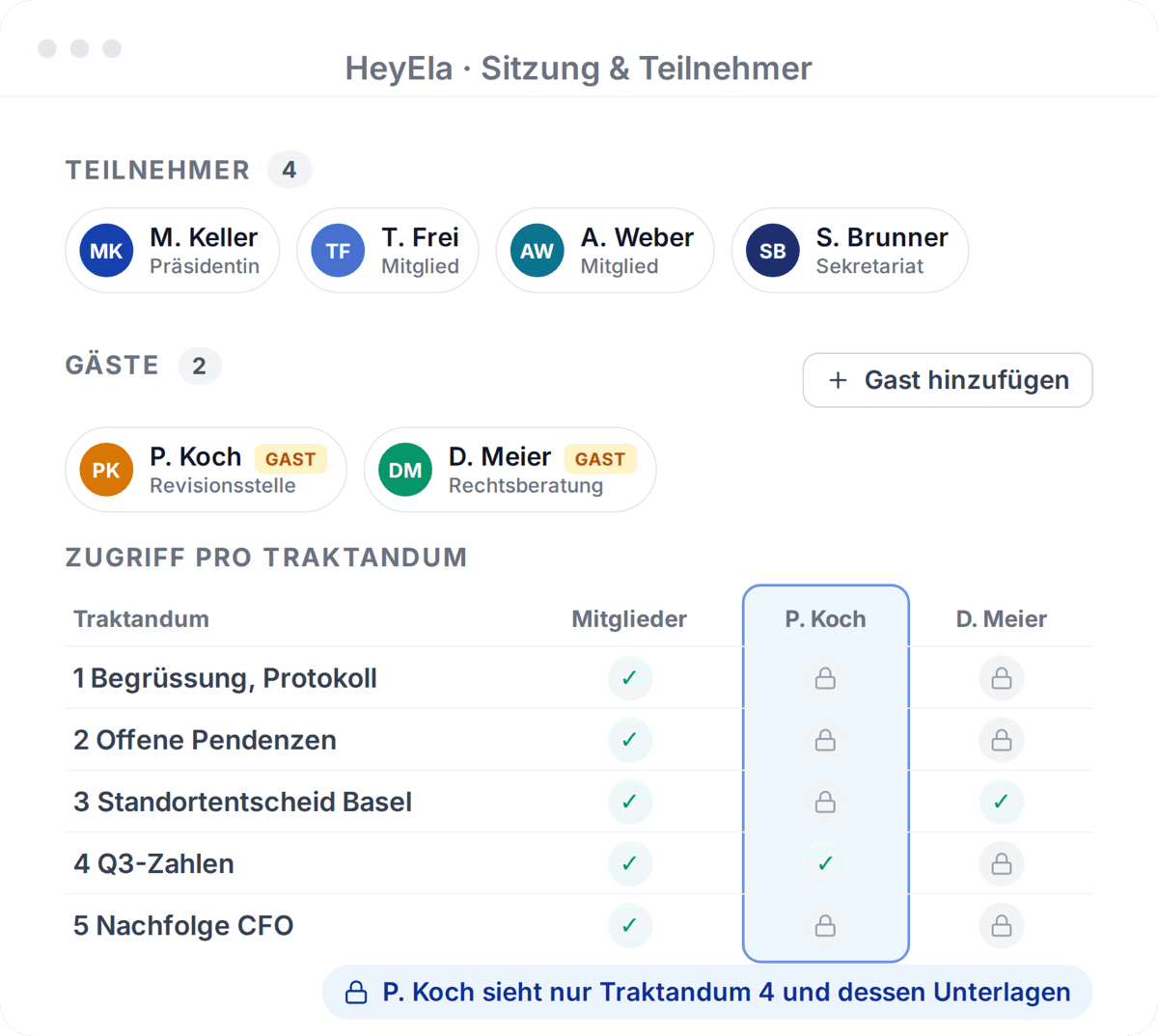
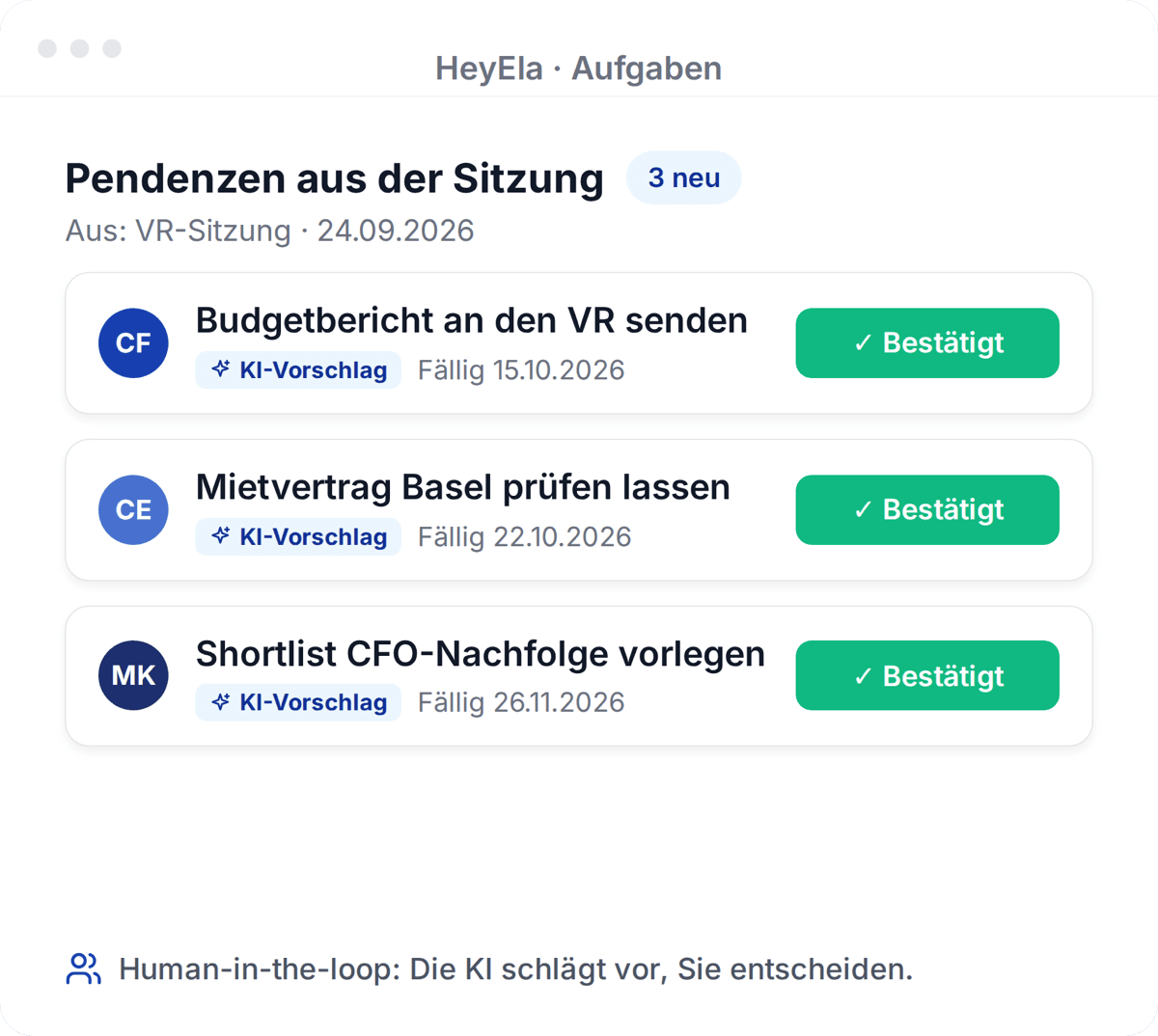
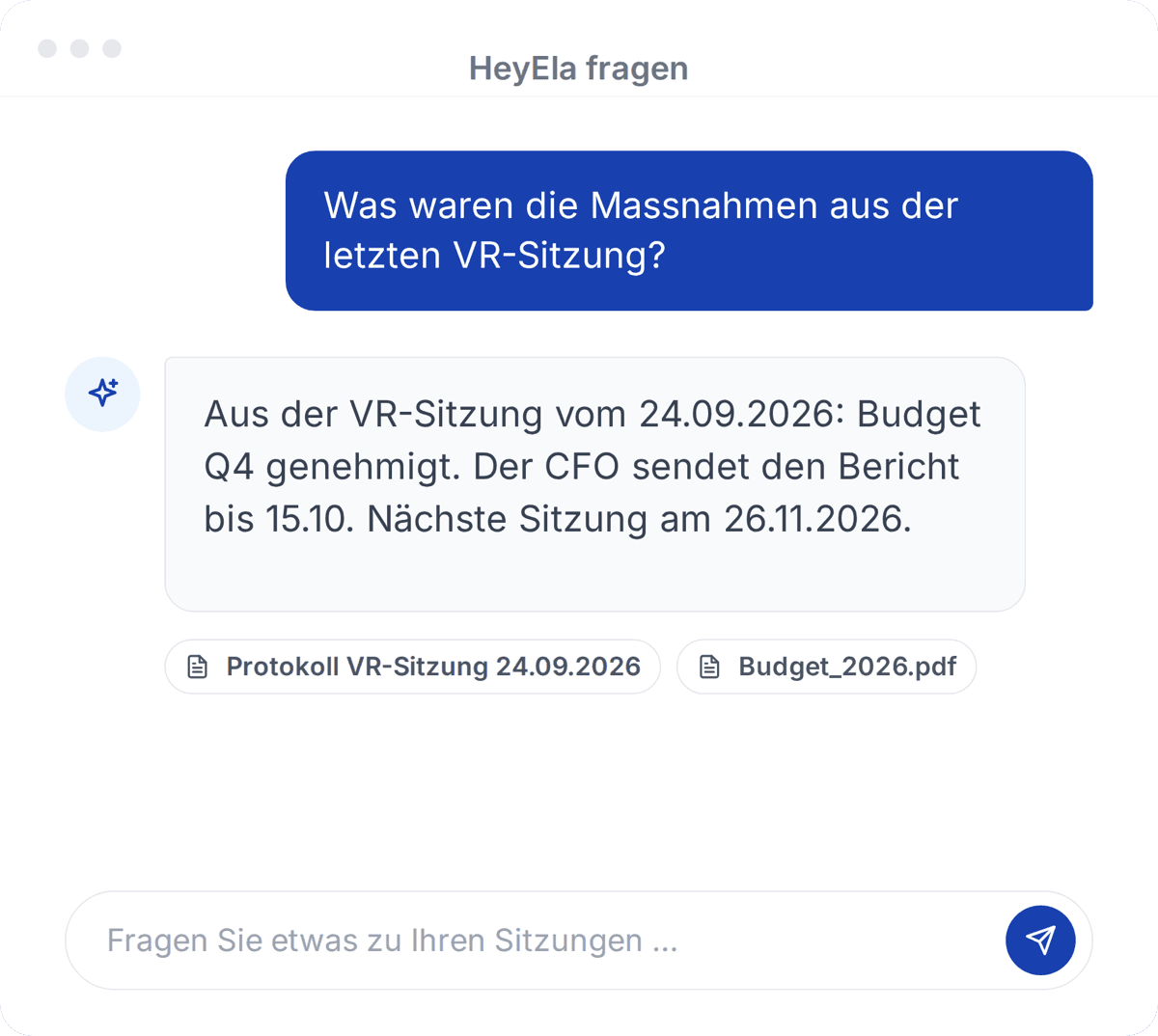









Before and after
Executive team and board in one flow
Today
- Executive and board minutes sit in different folders
- Reports go by email to the secretariat and onwards
- Two versions of the figures circulate before the meeting
- You chase team contributions with reminder emails
- Board and executive action items sit in separate lists
- Confidential board topics need separate mailing lists and folders
With HeyEla
- Both bodies in HeyEla, each with its meeting type
- Reports sit directly at the right agenda item
- A new version replaces the old one for everyone
- One link per agenda item collects contributions
- Your action items from both bodies in one overview
- Access rights separate board and executives per agenda item
Video
One meeting, from planning to action item
In under a minute from the agenda through the minutes to the action items that then sit with the executive team.
The evening before the board meeting goes into preparing the discussion, not into hunting for documents.
In detail
As CEO, you sit where the executive team and the board meet. You chair the executive meeting, prepare motions and reports for the board, and end up owning many of the action items from both bodies. HeyEla keeps these threads together, with a separate meeting type for each body and access rights that respect the line between board and management.
Executive meetings with their own meeting type
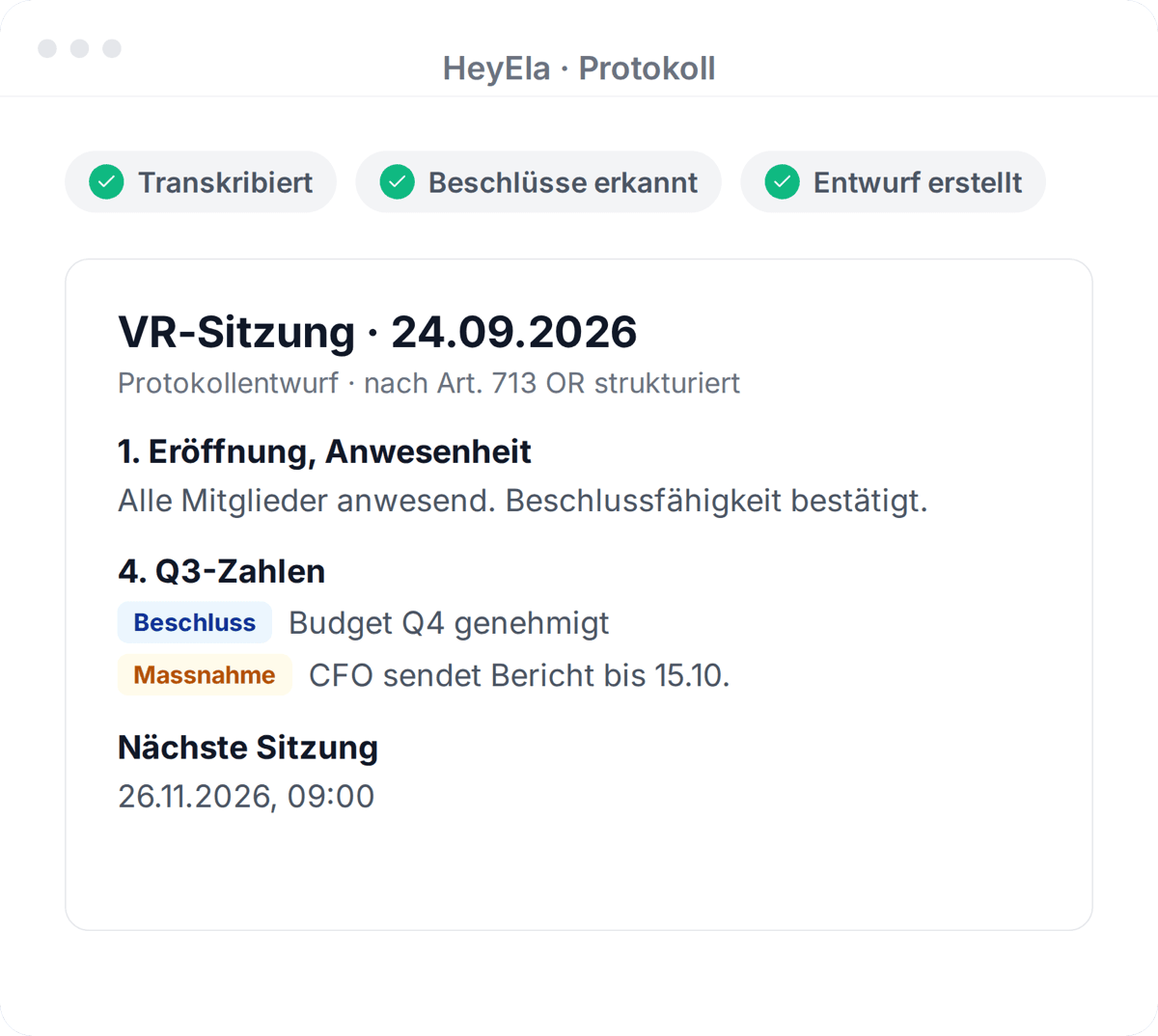
The executive team works with its own meeting type and minutes structure. HeyEla drafts the minutes from transcript, agenda and documents, and the action items are assigned afterwards.
Read moreShow less
For the executive team you use the same workflow as the board, with its own meeting type and minutes structure. The meeting is recorded in the room or by a meeting bot in Microsoft Teams or Google Meet, and HeyEla then creates AI minutes from the transcript, agenda items and documents. Decisions and assignments sit under the right agenda item, with owners and deadlines. You review the draft, approve it, and the action items are assigned without anyone typing them up.
Supplying the board with content
Executive reports and proposals sit directly at the board agenda item. A new version replaces the old one, and members ask their questions in advance.
Read moreShow less
Reports, motions and figures from the executive team go straight to the right agenda item in meeting preparation, instead of travelling as an email attachment to the secretariat. If a new version arrives shortly before the meeting, you upload it and everyone works from the current one. Members read your documents in the pre-read, with an AI summary per agenda item, and raise their questions in advance. Meeting time then goes into decisions rather than into explaining the figures.
Collect documents per agenda item with one link
You send one link per agenda item to the CFO or project lead. They upload their documents directly and see only that item.
Read moreShow less
In meeting preparation you create a request link for each agenda item. You send it to the people in your organisation who contribute, such as the CFO for the annual accounts or the project lead for the business case. They upload their files directly and only see that agenda item. This saves the round of reminder emails and forwarded attachments, and the documents sit from the start where the board will read them.
Action items from both bodies in one place
Your tasks from board and executive meetings appear together, with origin and deadline. Open action items show up in the preparation of the next meeting.
Read moreShow less
In task management you see your assignments from board and executive meetings together, each with its origin, agenda item and deadline. HeyEla proposes the action items from the minutes, and the owners confirm or correct them. You filter for your own items or for those of a colleague on the executive team. Open action items appear in the preparation of the next meeting, so their status can go on the agenda without chasing anyone.
Alongside Microsoft 365, not instead of it
HeyEla works alongside Microsoft 365: the meeting bot records Teams meetings, and minutes go into your files as Word documents. Hosting and AI processing are in Switzerland.
Read moreShow less
Many executive teams work with Microsoft 365, and HeyEla does not change that. The meeting bot records meetings in Teams, minutes go into your filing as Word documents, and further integrations are set up per customer. HeyEla covers the part that general assistants such as Copilot are not built for: agenda items with their documents, minutes with decisions and signatures, action items and access down to the agenda item, with hosting and AI processing in Switzerland.
Feature in HeyEla
Integrations
Connected individually to customer systems
View featureFrequently asked questions
We work with Microsoft 365 and Copilot. Why would we need HeyEla?
Copilot helps summarise meetings and documents in day-to-day work. HeyEla is built for board work: from the annual plan through the agenda and pre-read to the signed minutes and the action items, with access rights down to the agenda item and hosting and AI processing in Switzerland. The two can be used side by side, and HeyEla records Teams meetings with its meeting bot.
Can I use HeyEla for executive team meetings only?
Yes. In HeyEla the executive team gets its own meeting type with its own minutes structure, and preparation, pre-read, action items and AI Search work the same way as for the board. You can add the board later as a separate group with its own rights.
Does the executive team see everything the board discusses?
No, only what the board releases. In HeyEla the board and the executive team are separate groups with their own rights. Board meetings, minutes and documents can be restricted so that the CEO and the executive team have no access, for example on compensation or succession. The same applies to AI answers.
How do executive reports get into the board meeting?
In HeyEla you attach reports and motions directly to the relevant agenda item in meeting preparation, and invited guests upload documents for their agenda item themselves. With one link per agenda item you request documents from the CFO or project leads without email ping-pong.
Explore more
From the blog
24 October 2026
Data sovereignty in the board: CLOUD Act, revised FADP and where minutes and documents are kept
What the US CLOUD Act means for a board of directors, what the revised Swiss data protection act requires when AI is used, and what to ask a provider.
24 September 2026
Following up on board resolutions: how to track open action items properly
A resolution is only implemented once someone implements it. Why action-item lists from board meetings fail, what belongs in the minutes and how the review of resolutions becomes a standing agenda item.
18 August 2026
Organising board meetings in holding structures: what works
Several companies, several boards, often the same secretariat: how holdings organise board meetings across all entities without data getting mixed up.
Related use cases
Next step
See executive team and board side by side
In a demo we show how an executive meeting and the next board meeting connect in HeyEla, ideally using your own agenda.