Run board meetings digitally - from annual plan to action item
Annual plan to signed minutes and open items: one digital thread for the board.
- The meeting year planned ahead with annual plan and topics
- Agenda and documents in one place, no email attachments
- Pre-read, action items and document hub for the whole board
Typical for: chairs and corporate secretariats steering a board through the whole meeting year.
A look insideThe flow in pictures









In detail
After the first successful minutes, we realised: running a board is more than writing minutes. The meeting and its minutes remain the core outcome - but the real work lies around them: planning, setting agendas, collecting documents, tracking open items. This walkthrough shows how a board organises its entire meeting year in HeyEla.
01
Plan the meeting year in advance
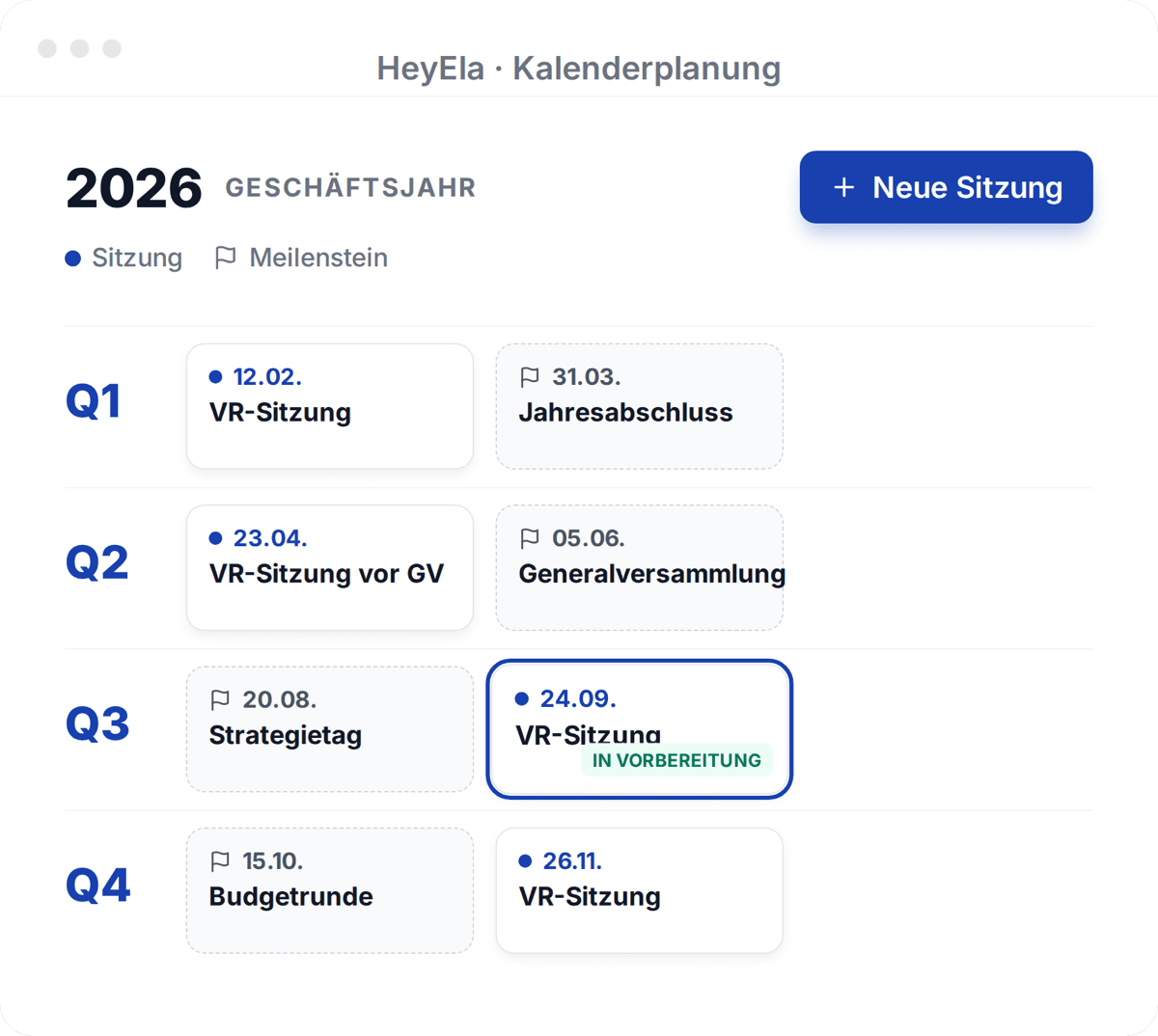
Meetings, milestones and topics for one or two years, dragged onto the right meeting.
Read moreShow less
The annual plan sets meetings and milestones - for the current year or two years ahead. You create topics once and drag them onto the right meeting: budget, annual accounts, strategy. As chair you have the year roughly planned in a few clicks, and every member sees at any time what is coming up.
02
Prepare every meeting - without email ping-pong
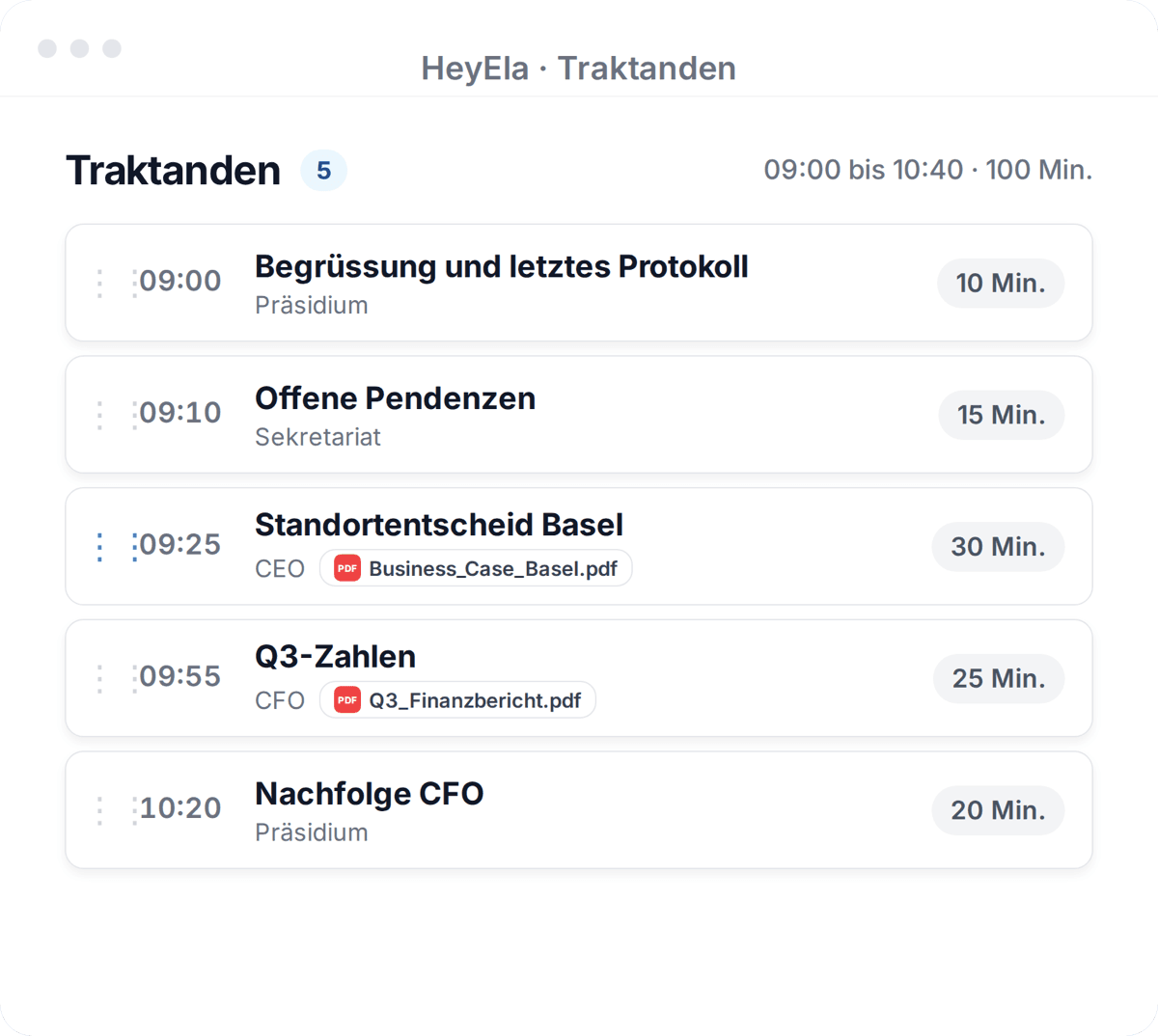
The AI drafts the agenda, and the CFO or guests upload their documents themselves via a link.
Read moreShow less
With meeting preparation the agenda comes together in one place - on request, the AI creates the first draft from your topics and open items, which you adjust and reuse as a template. Documents are collected directly on the platform: the CFO or guests receive a link, upload their documents themselves and only see their own agenda item. No sending attachments back and forth; the latest version always applies.
03
Arrive at the meeting prepared
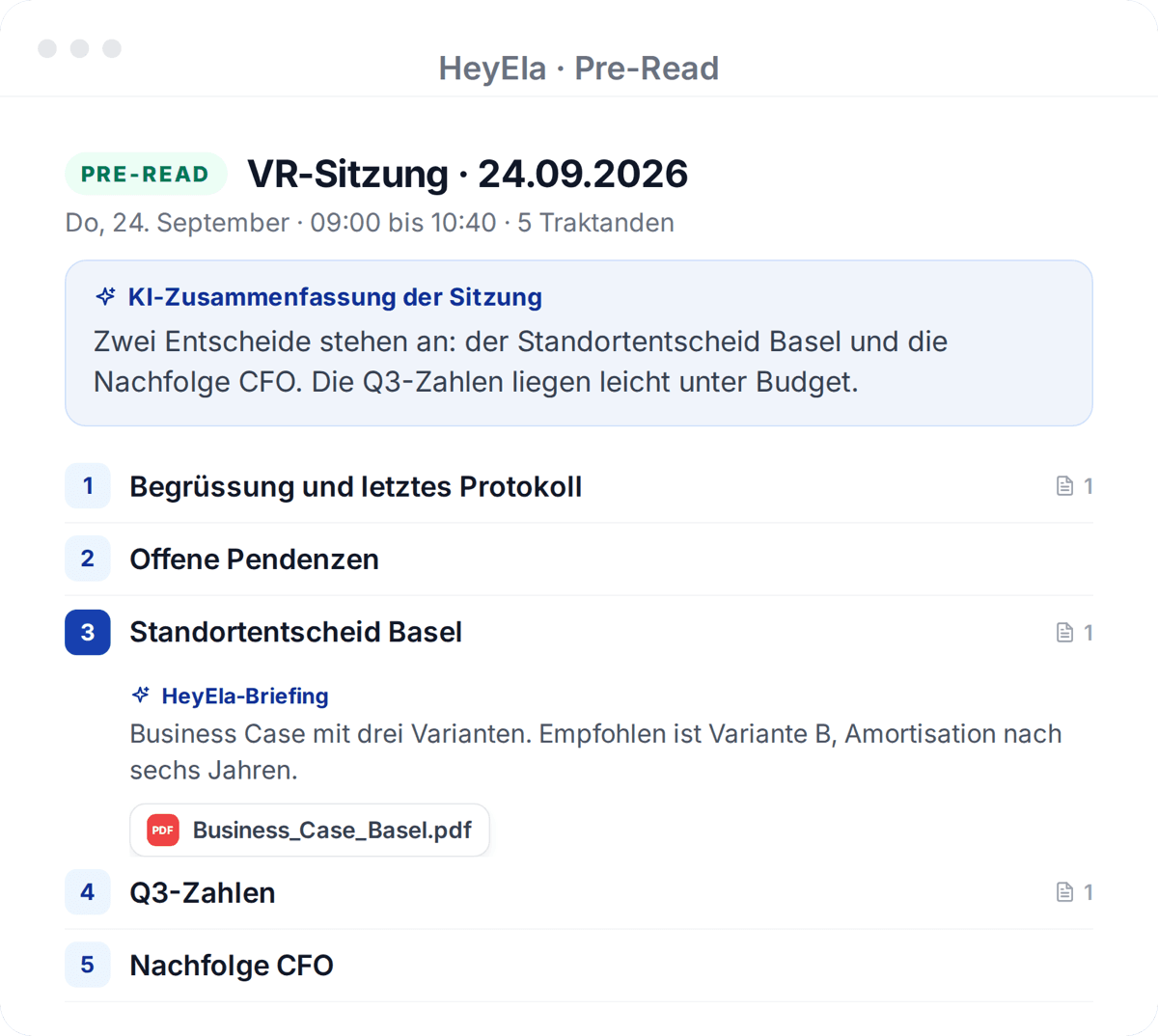
Members receive agenda items, documents, an AI briefing per item and an AI chat in one secure place.
Read moreShow less
Once the agenda is set, members receive their pre-read: agenda items, documents, an AI briefing per item and an AI chat in one secure place. Each member highlights, draws and comments right in the documents - privately or for everyone invited - and has it all at hand in the meeting. Meeting time belongs to the discussion, not to reading aloud.
04
After the meeting: decisions, action items, signature
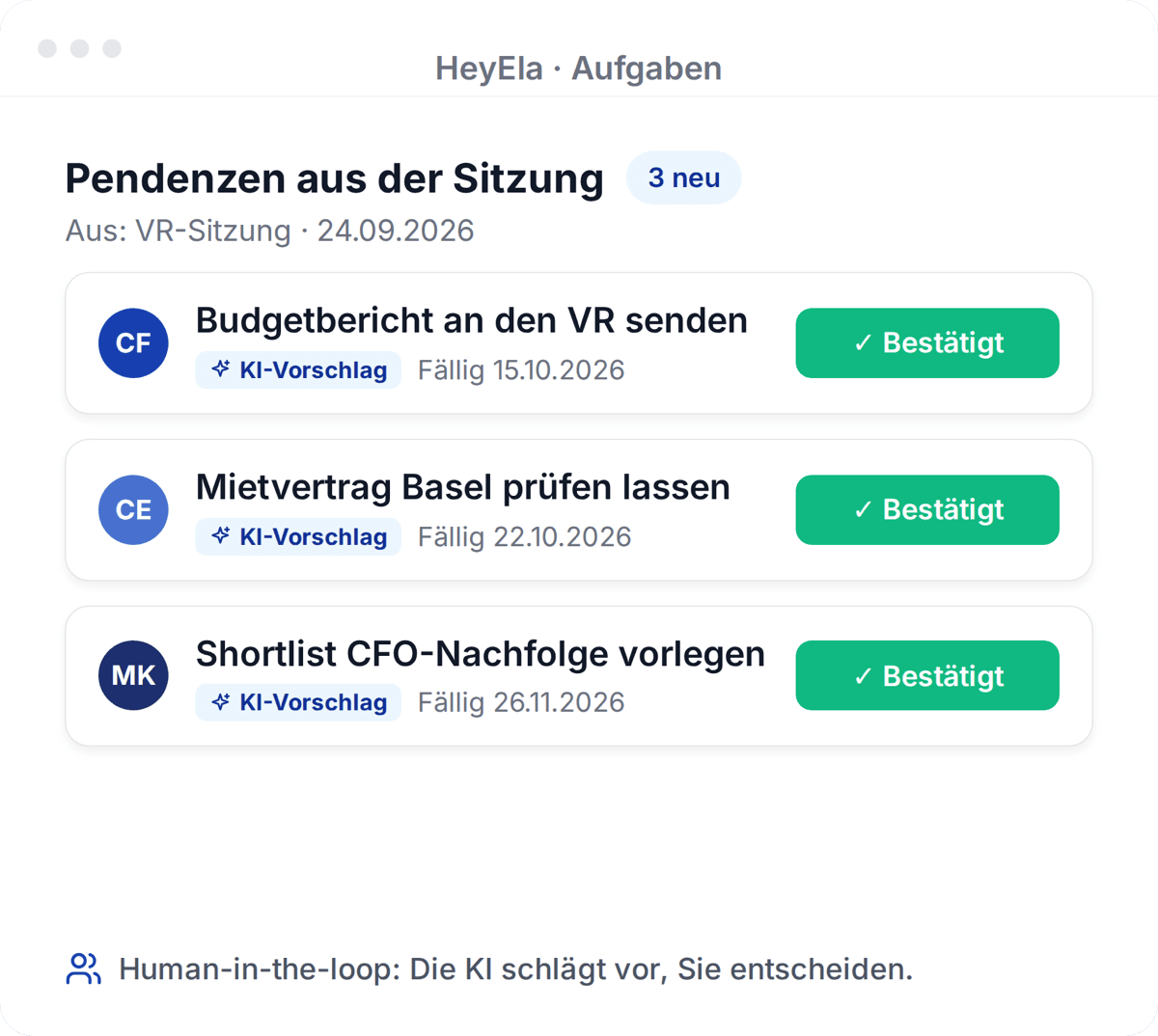
Decisions become action items, the minutes are signed digitally, and external bodies receive just an extract.
Read moreShow less
From the discussion and decisions, tasks are created in task management - every member sees their own items, the chair sees the overall status. The minutes are signed digitally and distributed; if an external body needs just a single resolution, a minutes extract goes out instead of the whole document.
05
All documents in one place - for the whole board
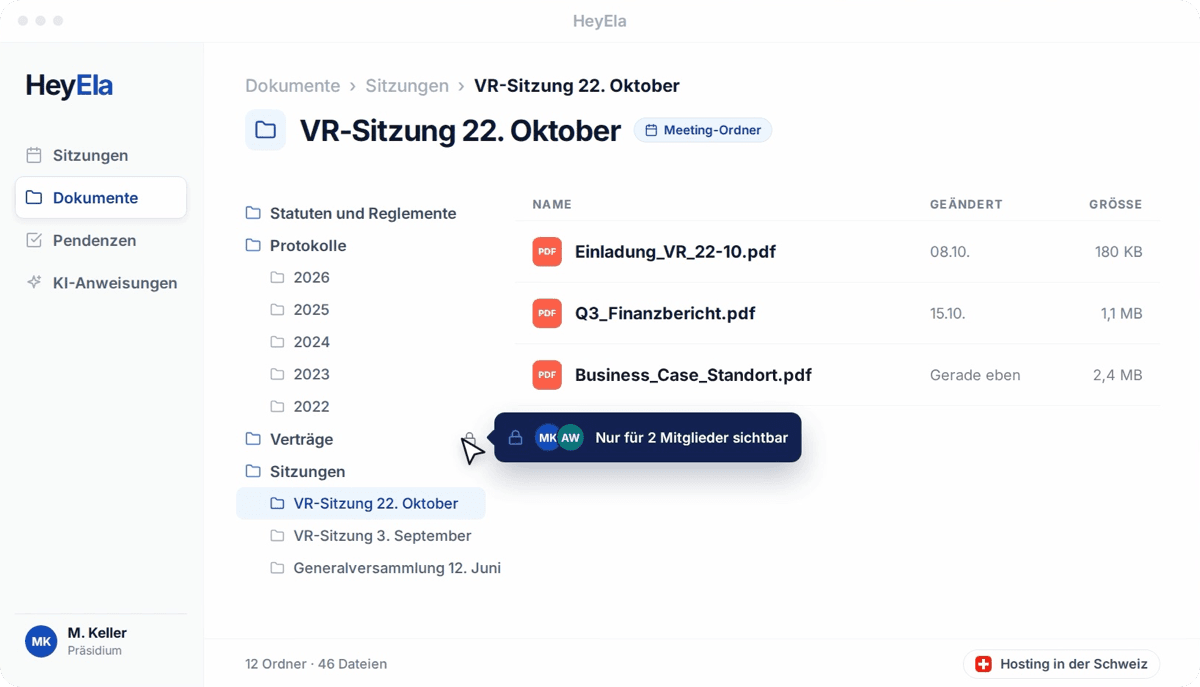
Everything lives in the document hub: one folder per meeting, hosted in Switzerland, with role-based access.
Read moreShow less
Everything created along the way lands automatically in the document hub: one folder per meeting, plus your own filing structure. It serves the board as secure file storage - hosted in Switzerland, with role-based access. When someone leaves the board, the data stays with the organisation.
The flow
From recording to tasks - five steps, one platform
Step 1
Recording
Record the meeting in the browser, send a meeting bot or upload an existing audio file.
Step 2
Transcript
Automatic transcription with speaker attribution, including meetings that switch between Swiss German and High German.
Step 4
Sign & export
Sign digitally, export for your records, and distribute the finished protocol to the board.
Step 5
Tasks & follow-ups
Action items are generated from decisions so nothing from the meeting gets lost.
Invitation, documents, minutes, action items and signature live in the same place as the meeting itself. I no longer piece things together from email attachments, and before the meeting I see at a glance what is open.
Frequently asked questions
What does "running board meetings digitally" mean in practice?
Planning, agenda, documents, minutes and action items come together in one tool instead of email, Word and Excel. The meeting itself stays the way your board runs it - on site, remote or hybrid.
Where is most time lost today?
In gathering: collecting documents, reconciling versions, sending emails, tracking open items by hand. When everything lives in one place and recurring items come from the annual plan, exactly this work shrinks.
Does this also work for foundation boards and committees?
Yes. The process is the same for boards of directors, foundation boards, executive teams and committees - meeting types and templates can be configured per body.
How do documents from management, the CFO or guests get into the meeting?
Via a link, straight onto the platform: the invited person uploads their documents themselves and only sees the agenda item they were invited for. Nobody sends attachments around by email, and the latest version always applies.
Does the AI create the agenda?
The first draft, yes - from your topics, open items and classic meeting points. You adjust it and save it as a template so the next meeting is prepared even faster.
Where do the board's documents live?
In the document hub: each organisation has its own space, each meeting automatically gets a folder, plus freely definable structures. It works like secure file storage for the whole board - hosted in Switzerland, with role-based access.
Explore more
From the blog
24 October 2026
Data sovereignty in the board: CLOUD Act, revised FADP and where minutes and documents are kept
What the US CLOUD Act means for a board of directors, what the revised Swiss data protection act requires when AI is used, and what to ask a provider.
20 October 2026
The extract of minutes in the board: who asks for it, what goes into it and how it is produced
What an extract of minutes is, when the commercial register, a bank, a notary or the auditor needs an extract of a board resolution, and what it must contain.
15 October 2026
The annual plan of the board: meetings, mandatory topics and deadlines across four quarters
How a board plans its meeting year: dates, recurring agenda items such as budget, annual accounts and general meeting, and how they turn into the agenda.
Next step
See the process for your board
In a demo we walk through the meeting year from planning to action-item tracking - happy to use your own agenda as the example.