Leading the board, from the annual plan to the signature
You decide what gets discussed. HeyEla records what follows from it.
- The meeting year and its key topics in view
- Every member arrives with the same information
- You chair, HeyEla records decisions and action items
Typical for: chairs of boards of directors, foundation boards, associations and committees, often with several mandates.
A look insideFrom the annual plan to the action items









Before and after
What changes for the chair
Today
- The annual plan lives in an Excel file
- The agenda goes back and forth in Word
- Documents arrive as attachments, often in several versions
- Questions only surface during the meeting
- You chair while also taking notes for the minutes
- You ask around the table for action item status
With HeyEla
- A shared annual plan holds meetings and key topics
- The agenda takes shape in one place, with documents
- One pre-read per meeting, always with the current version
- You see members’ questions before the meeting
- You chair, the recording captures every contribution
- Action item status is ready before the meeting
Video
From the annual plan to the signature
One meeting’s path through HeyEla in under a minute: annual plan, agenda, pre-read, minutes, signature and action items.
Your time goes back to the questions you were elected chair for.
In detail
As chair, you carry the board through the year: you plan the meetings, set the agenda, lead the discussion and sign the minutes. In HeyEla this work sits in one place instead of being spread across email, Word and Excel. After the meeting the decisions are captured in a structured way, and the action items are back on the table before the next meeting.
Plan the meeting year ahead
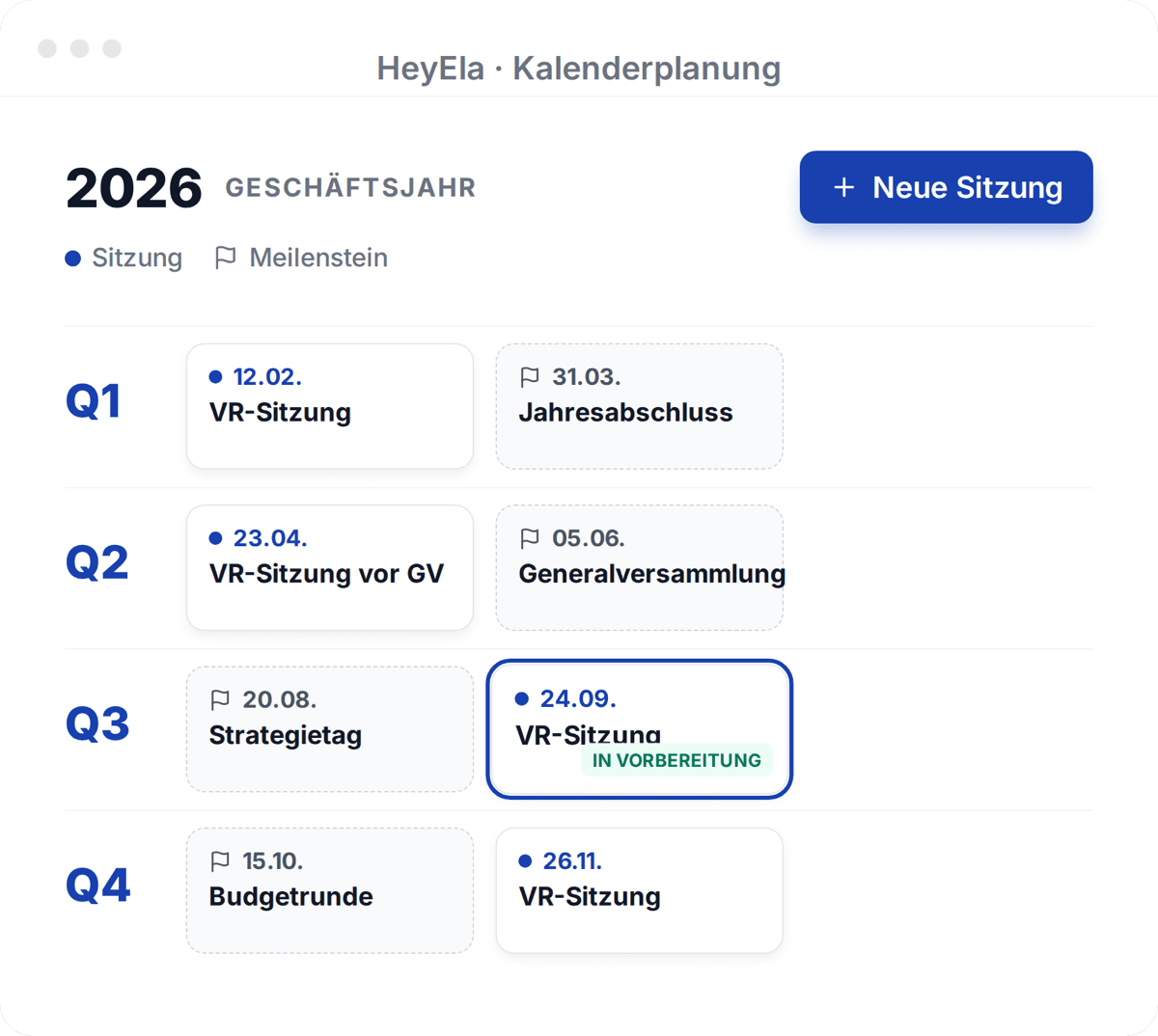
In the annual plan you set meetings and milestones one to two years ahead. Recurring topics such as budget or succession go onto the right meeting by drag and drop.
Read moreShow less
In the annual plan you set meetings and milestones one to two years ahead, from the strategy retreat to the year-end closing and the general meeting. Recurring topics such as the budget, the risk assessment or succession are dragged onto the right meeting. Every member sees early what is coming when, and mandatory topics no longer need to be gathered from scratch each time. From a planned meeting you go straight into its preparation.
Set the agenda
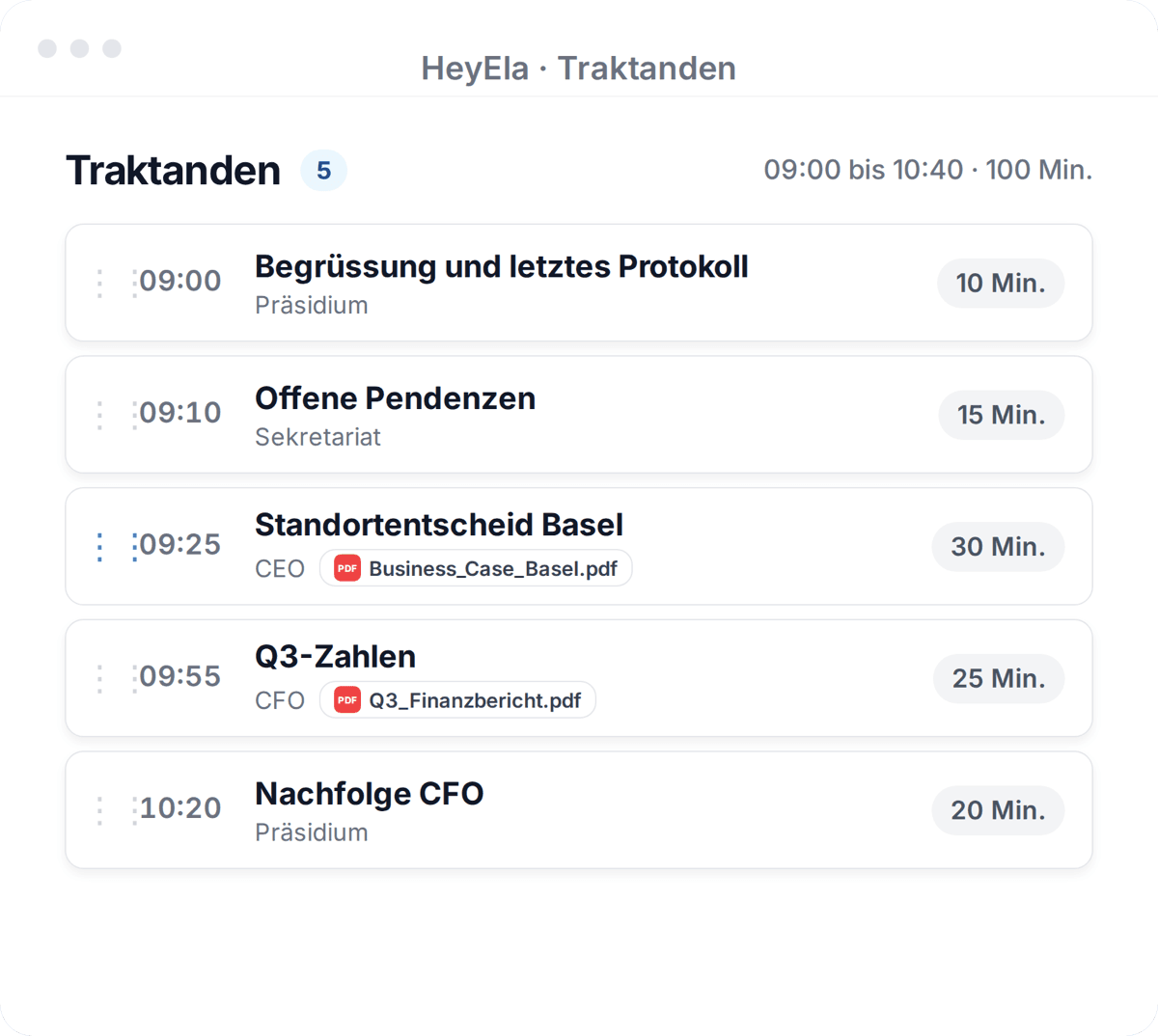
The agenda starts from a template, the last meeting or an AI draft. For each item you set the owner, time, guests and documents.
Read moreShow less
The agenda comes together in meeting preparation: from a template, from the last meeting or as an AI draft based on your topics and the open action items. For each agenda item you define who is responsible, how much time it gets, which guests join and which documents belong to it. Guests only see the agenda item they are invited to. The secretariat takes care of the invitation, while you keep control of the content.
Everyone arrives with the same information
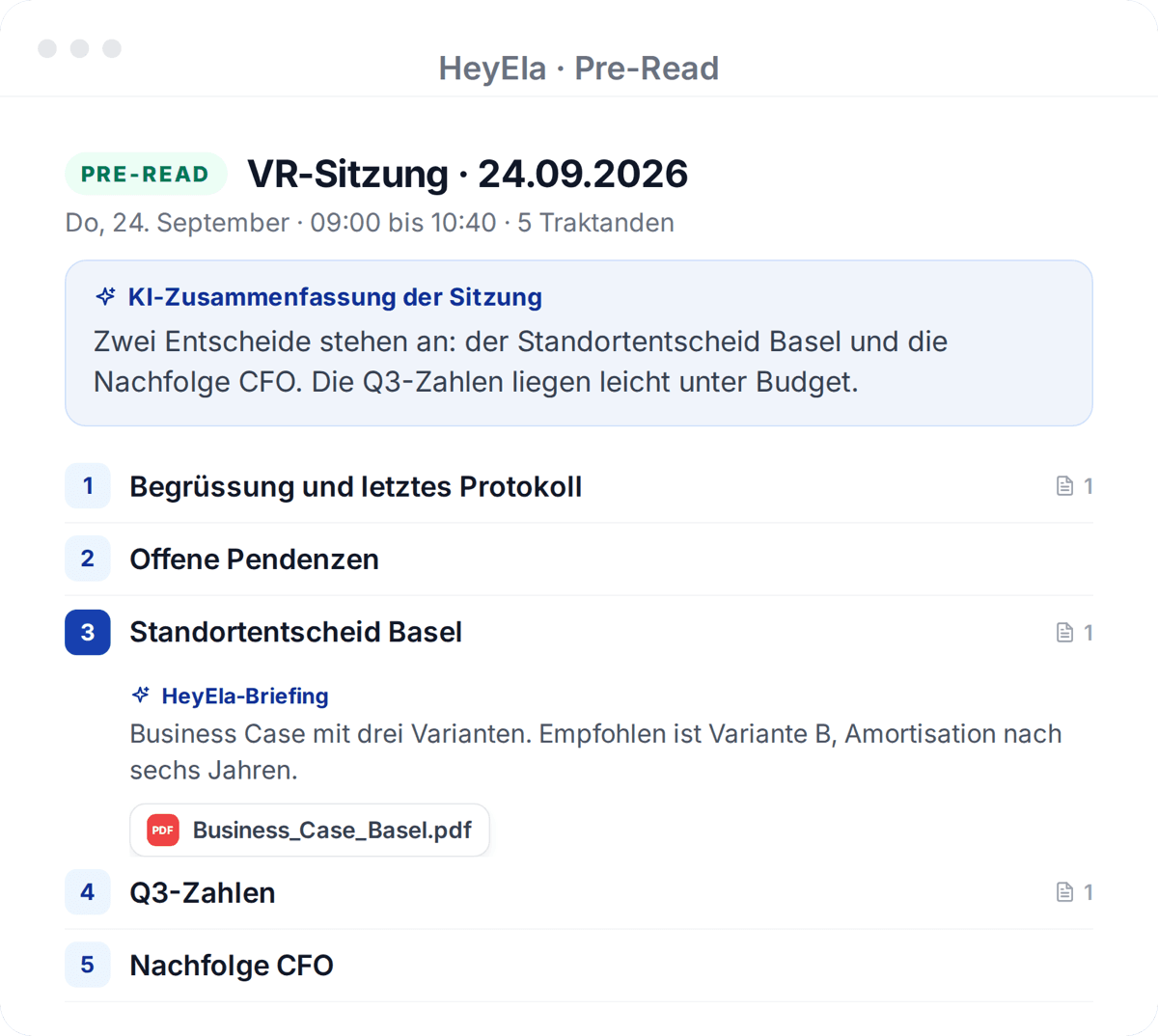
With the invitation everyone receives a pre-read with an AI summary for each agenda item. Questions members note in advance reach you before the meeting.
Read moreShow less
With the invitation, members receive their pre-read: agenda items, documents and an AI summary for every agenda item on one protected page. Questions that members note publicly in advance reach you before the meeting rather than during it. That leaves you time to prepare a discussion or sharpen a motion before everyone sits down. The meeting time then belongs to the discussion rather than to reading documents aloud.
Chair the meeting, not the notes
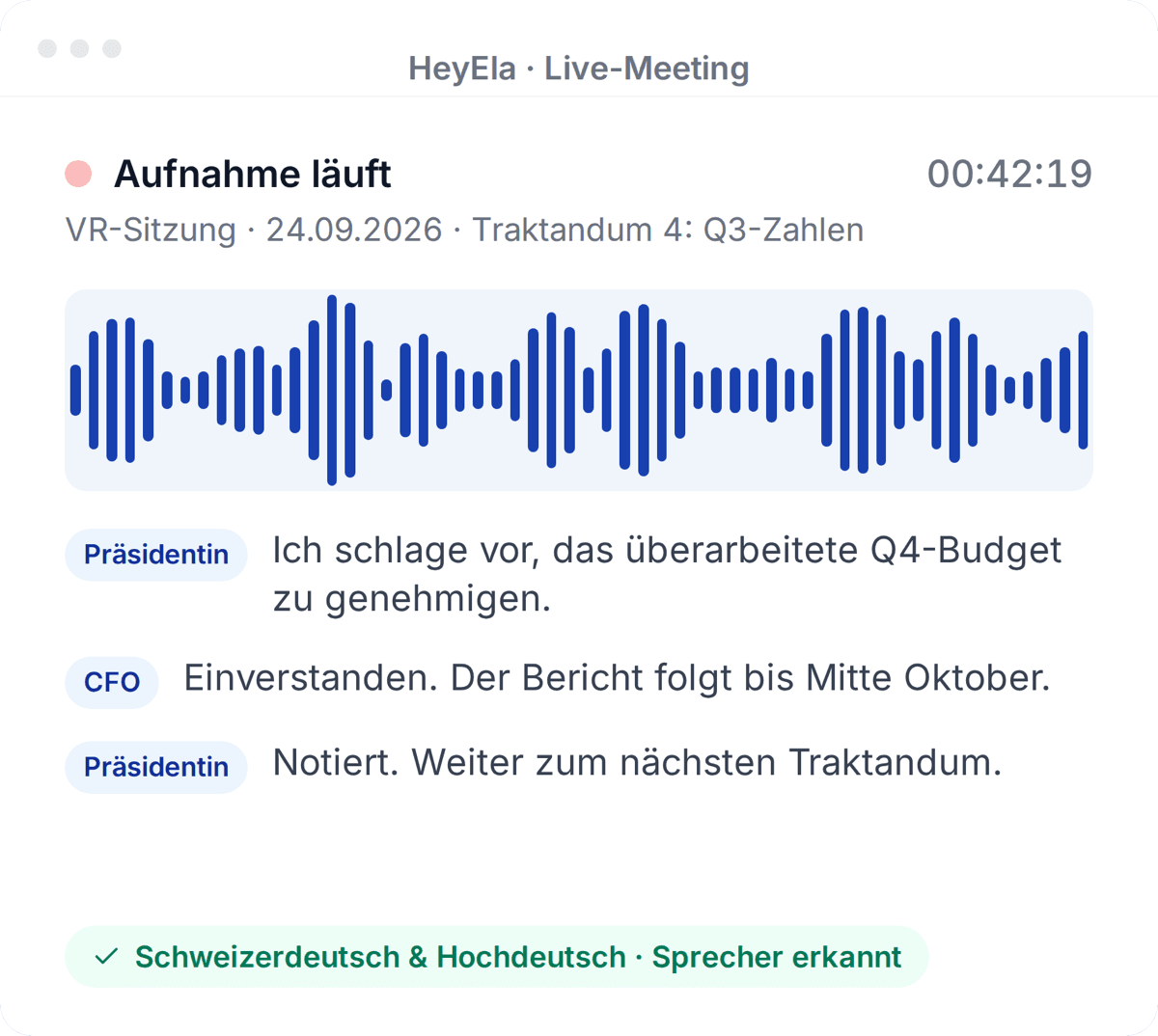
Live recording runs in the room or as a meeting bot and understands Swiss German. You chair the meeting, and HeyEla drafts the minutes afterwards.
Read moreShow less
While you chair the meeting, live recording runs in the browser, on a phone or as a meeting bot in Microsoft Teams or Google Meet. HeyEla also transcribes Swiss German when dialect and High German alternate, and saves every five seconds. You do not need to take notes for the minutes and can focus fully on the contributions, the vote and the resolution. After the meeting, HeyEla turns the recording into a structured draft of the minutes.
Approve, sign, follow up
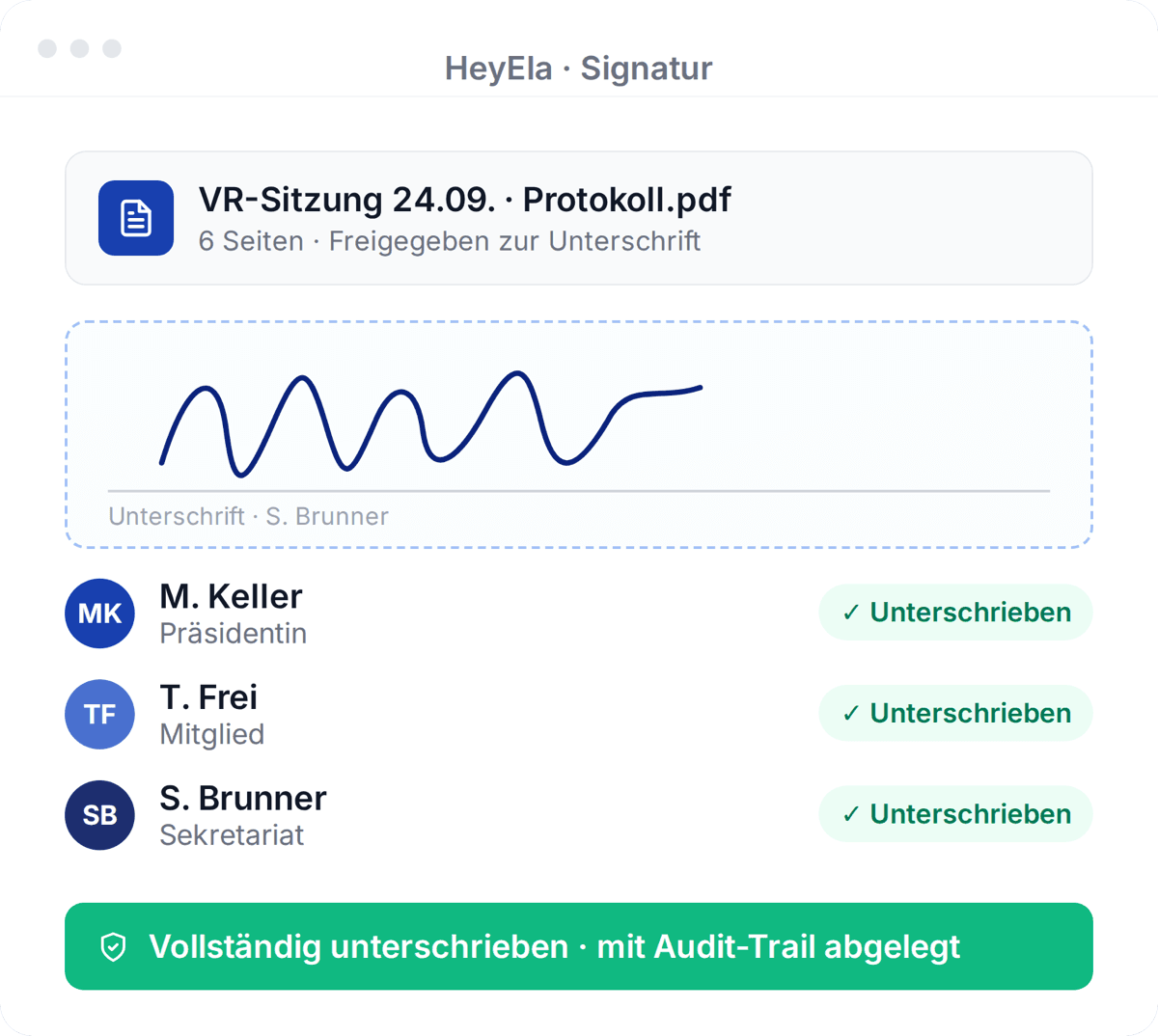
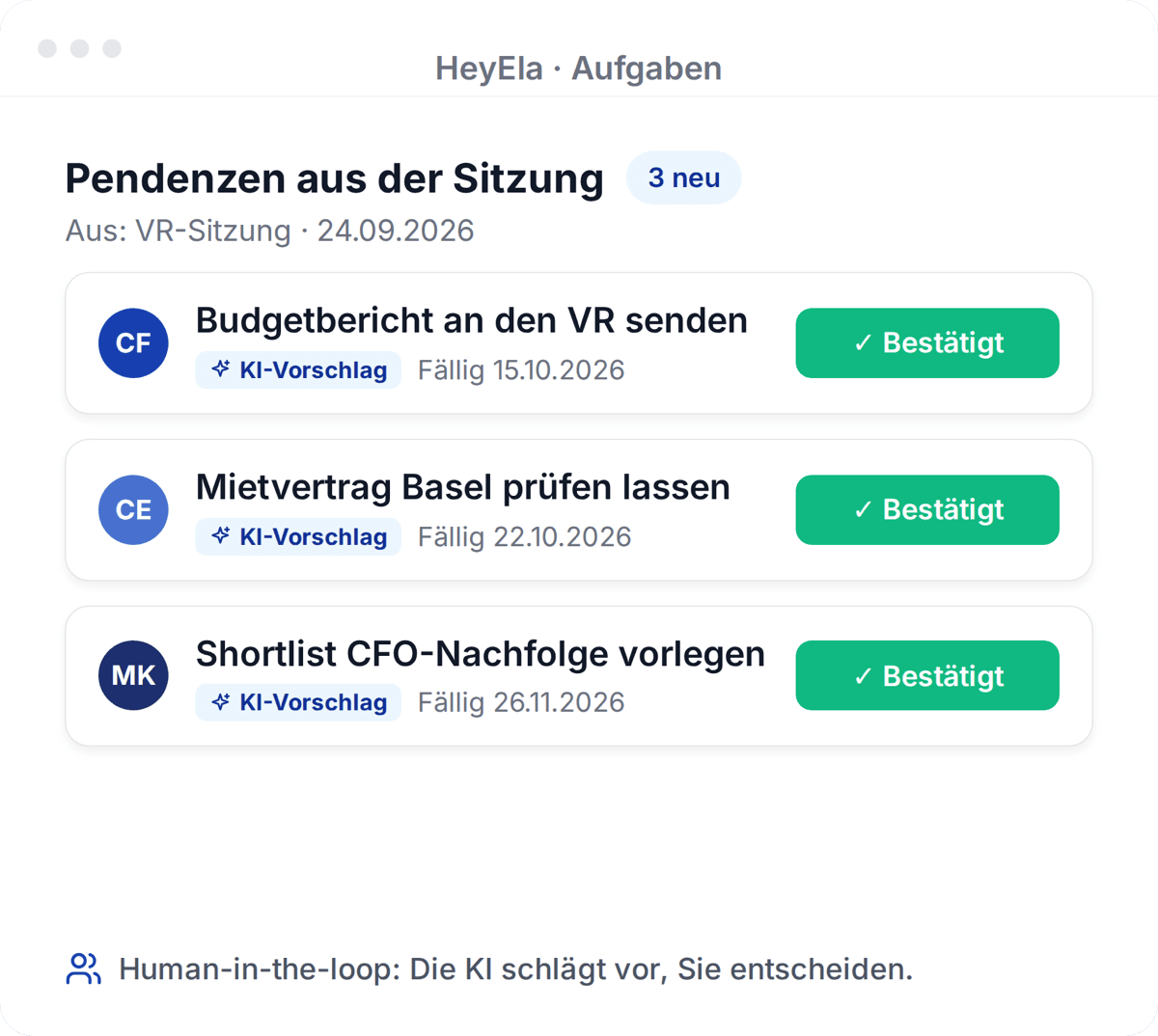
Chair and minute-taker sign digitally, on mobile too. Decisions become action items, and you see their status before the next meeting.
Read moreShow less
Because decisions and responsibilities are already structured in the draft, approval goes faster. Under Art. 713 para. 3 of the Swiss Code of Obligations, the chair and the minute-taker sign the minutes, in HeyEla with the digital signature, from a phone if you are on the road. Action items with owners and deadlines are created from the decisions. Before the next meeting you see where things stand at a glance, instead of collecting updates around the table.
Frequently asked questions
Can I as chair review and approve the minutes before they are sent out?
Yes. HeyEla creates a structured draft, and approval stays with the board. You review the text in the editor, have it adjusted or change it yourself, and approve it. The chair and the minute-taker then sign digitally, with the simple electronic signature (SES) that HeyEla supports.
How do I as chair keep track of the board’s action items?
HeyEla proposes action items directly from the decisions in the minutes, with owners and deadlines. Each action item stays linked to its meeting and agenda item. Open items are ready in the next meeting preparation and can be added as a standing agenda item.
Can I keep documents confidential from individual members or the executive team?
Yes. In HeyEla, meetings, minutes and documents can be restricted so that only the intended people have access, for example for personnel matters or when a member has a conflict of interest. Guests are invited to individual agenda items only. The same rights apply to the AI: what someone may not see, they cannot find through AI Search either.
Does HeyEla also work for foundation boards and association committees?
Yes. HeyEla covers boards of directors, foundation boards, association committees, board committees and executive teams with the same workflow, and meeting types and templates are set per body. If you chair several bodies, you switch between organisations with one login, and the data stays strictly separate.
Explore more
From the blog
24 October 2026
Data sovereignty in the board: CLOUD Act, revised FADP and where minutes and documents are kept
What the US CLOUD Act means for a board of directors, what the revised Swiss data protection act requires when AI is used, and what to ask a provider.
22 October 2026
Signing board minutes electronically: SES, QES and what the Swiss Code of Obligations requires
Swiss law requires two signatures on board minutes, but no particular form. What separates a simple from a qualified e-signature, and how long minutes are kept.
20 October 2026
The extract of minutes in the board: who asks for it, what goes into it and how it is produced
What an extract of minutes is, when the commercial register, a bank, a notary or the auditor needs an extract of a board resolution, and what it must contain.
Related use cases
Next step
Show us your meeting year
In a demo we set up your annual plan and your next agenda in HeyEla as an example and walk through the path to the signed minutes.