From spoken word to signed minutes
From the room to a signed protocol, without another Sunday evening at the keyboard.
- Recording on site, remote or as an upload, Swiss German included
- A structured draft from transcript, agenda and documents
- Signed digitally, or exported to Word and PDF for your filing
Typical for: chairs, secretariats and minute-takers - especially with several mandates and several meetings per week.
A look insideThe flow in pictures









In detail
This is where HeyEla started. We watched chairs and secretariats listen intently in meetings, take notes - and then lose hours on the minutes afterwards. Anyone with several mandates writes several sets in the same week. This walkthrough shows how that becomes minutes of work, without the board giving up control.
01
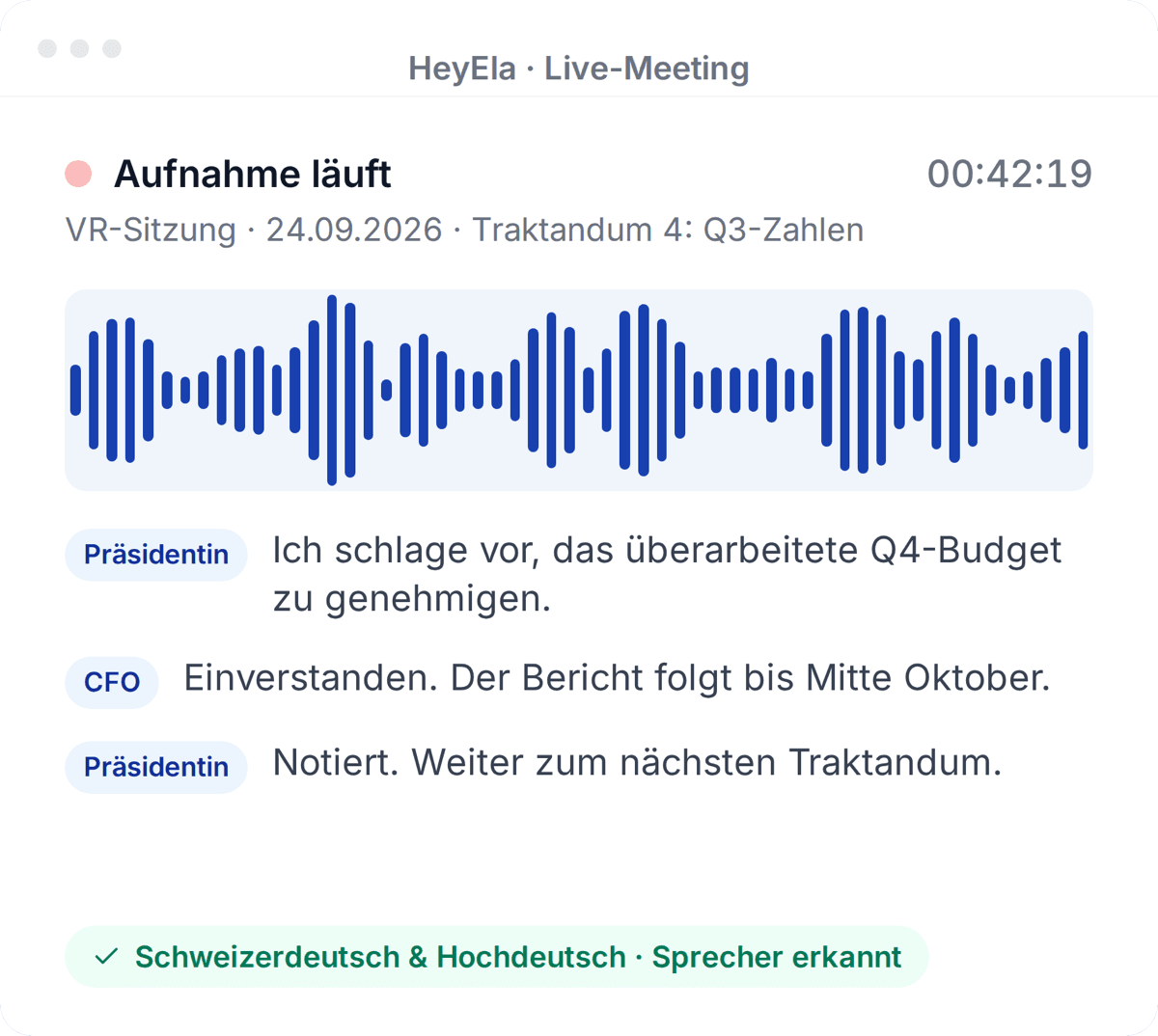
Record the meeting - on site, remote or as an upload
Transcribed live in the browser or uploaded as an existing recording, auto-saved every five seconds.
Read moreShow less
The meeting is captured with the live recording right in the browser and transcribed in real time - even when Swiss German and High German alternate. Just as easily, you upload an existing recording; you don't even have to record in our app. The recording auto-saves every five seconds, and if you want to be extra safe, you record with two devices in parallel. No meeting gets lost.
02
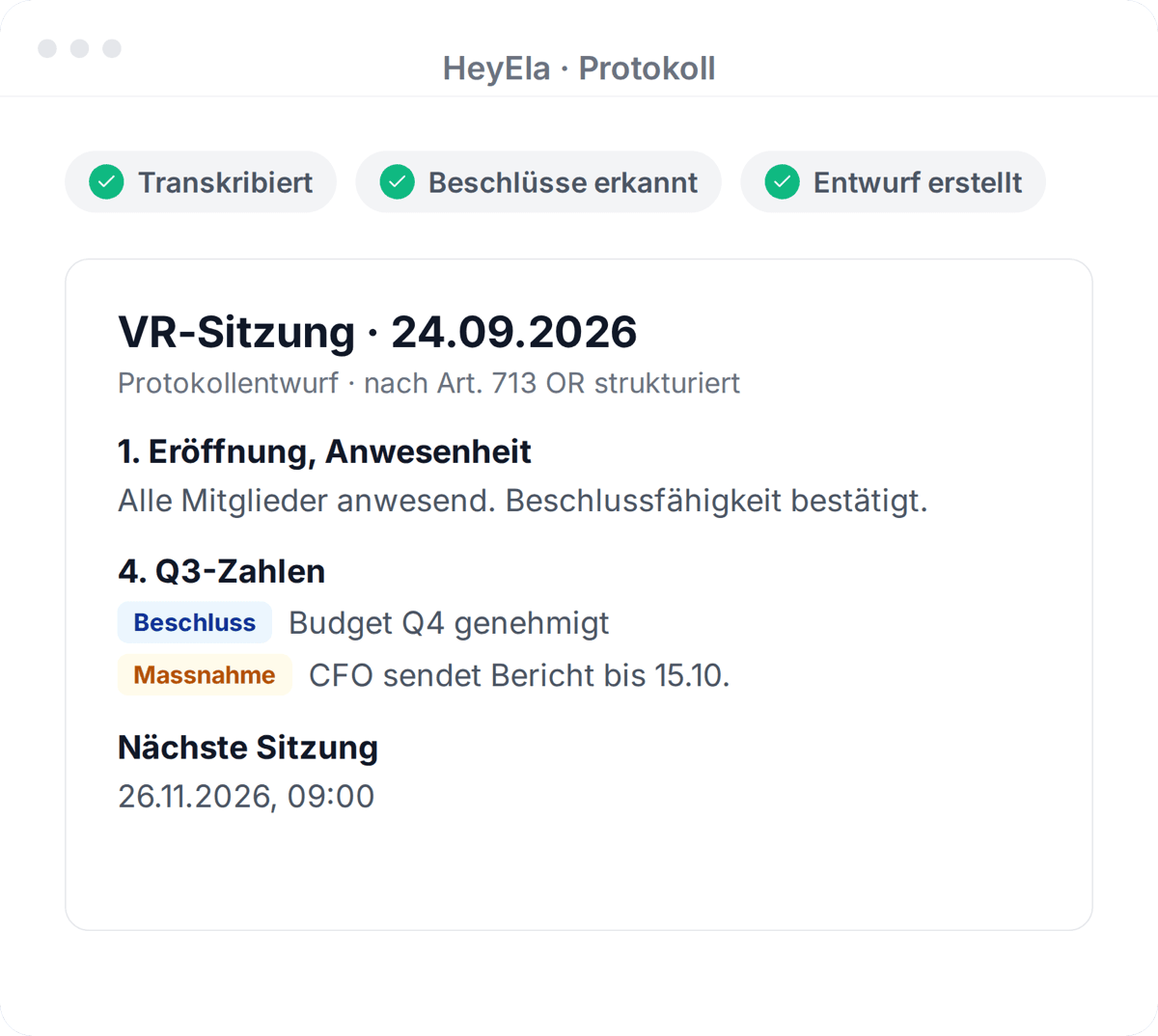
The draft is built from context, not just words
Transcript, agenda and documents become a structured draft that you adjust in the editor by instruction.
Read moreShow less
From the transcript, agenda and your organisation's context, HeyEla creates structured AI minutes by meeting type. What we learned early: the more documents you provide, the better the draft. You review the result in the editor and adjust it with the AI editor by instruction - shorter, longer, more detailed. If an attachment comes to mind later, say the presentation that was shown, you upload it and regenerate the draft.
03
Share only what may be shared
If the bank needs just one resolution, a minutes extract is ready in seconds. The rest stays confidential.
Read moreShow less
If the bank or the auditors need just one resolution, the minutes extract creates a separate document in seconds - the rest of the minutes stays confidential.
Feature in HeyEla
Protocol extract
Share only the relevant parts of a protocol
View feature04
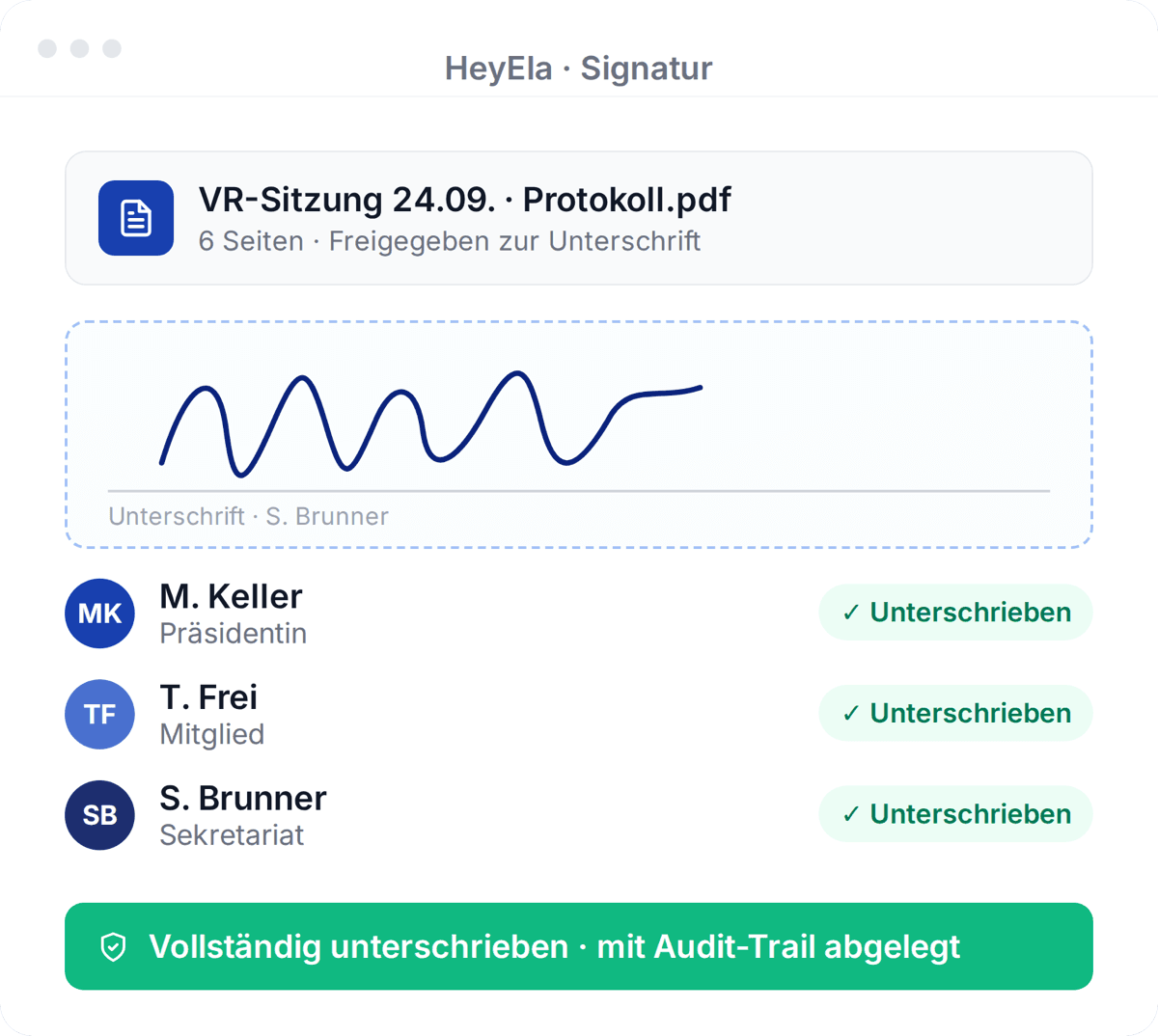
Sign digitally and file
After approval, all signatories sign digitally, on mobile too. The minutes are filed and distributed.
Read moreShow less
After approval, the signature round starts: all signatories sign with the digital signature - on mobile too. The finished minutes are filed and distributed automatically.
05
Fits your processes - not the other way round
You can use just this one step and export the minutes to Word or PDF for your usual filing.
Read moreShow less
HeyEla is deliberately unopinionated. You can use just this one step - audio and documents in, finished minutes out - and leave everything else as it is. Exporting to Word or PDF brings the minutes back into your usual filing and existing processes. Minimal change management, immediate time savings. This first use case and our first users are where all the others came from.
The flow
From recording to tasks - five steps, one platform
Step 1
Recording
Record the meeting in the browser, send a meeting bot or upload an existing audio file.
Step 2
Transcript
Automatic transcription with speaker attribution, including meetings that switch between Swiss German and High German.
Step 4
Sign & export
Sign digitally, export for your records, and distribute the finished protocol to the board.
Step 5
Tasks & follow-ups
Action items are generated from decisions so nothing from the meeting gets lost.
I used to spend Sunday evenings on the minutes. Now I review a draft after the meeting, correct two or three sentences and approve. The minutes go out the same day.
Frequently asked questions
How long from meeting to finished minutes?
The draft is ready shortly after the meeting. Teams report post-processing is often around 80% faster - evenings become minutes.
Does the board remain legally responsible for the minutes?
Yes. HeyEla delivers the structured draft; review, approval and signature stay with the board. AI removes the typing, not the responsibility.
Does this work with Swiss German in the meeting?
Yes. Transcription is built for Swiss meeting reality - Swiss German contributions and High German passages in the same meeting are the normal case.
Do we have to change our meeting processes or software for this?
No. HeyEla works alongside your existing tools: upload the audio, attach the documents, export the minutes as Word or PDF - filing and sharing stay wherever they are today.
Can I export the minutes as Word or PDF?
Yes. After review and approval you export to Word or PDF, or you start the digital signature round. Filing and distribution stay wherever you keep them today.
Explore more
From the blog
22 October 2026
Signing board minutes electronically: SES, QES and what the Swiss Code of Obligations requires
Swiss law requires two signatures on board minutes, but no particular form. What separates a simple from a qualified e-signature, and how long minutes are kept.
20 October 2026
The extract of minutes in the board: who asks for it, what goes into it and how it is produced
What an extract of minutes is, when the commercial register, a bank, a notary or the auditor needs an extract of a board resolution, and what it must contain.
24 August 2026
Recording and minuting meetings: what actually goes wrong in practice
Swiss German, language switching, dropped connections, eight-hour workshops: why transcription is now the smaller problem, and what really matters when recording board meetings.
Next step
See the workflow on your own meeting
In a demo we walk from recording to signed minutes - happily with your meeting type and your templates.