Whoever keeps the minutes keeps the memory of the board
HeyEla takes over the typing. What goes into the minutes is still your decision.
- HeyEla types, the judgement stays with you
- Around 80% of former minute-taking time saved
- Listen in the meeting instead of taking notes
Typical for: corporate secretaries, board secretaries, general secretariats, legal departments, executive assistants and anyone who keeps the minutes for a board or committee.
A look insideFrom the annual plan to signed minutes









Before and after
The manual work around the minutes
Today
- Invitation and documents go out in several emails
- A late revision starts a new email thread
- In the meeting you write down every contribution
- On Sunday evening you type the minutes from notes
- You collect signatures by post or scan
- You maintain action items by hand in Excel
With HeyEla
- Invitation and pre-read go out with one click
- New versions replace old ones without another email
- The recording runs, you follow the discussion
- After the meeting, a draft by agenda item
- The signing round shows who still needs to sign
- HeyEla suggests action items, you confirm or correct them
Video
From recording to signed minutes
In under a minute: recording, AI minutes, signature and action items, then the preparation of the next meeting.
Sunday evening is yours again, and your experience goes into the wording rather than the typing.
In detail
Whether you are a lawyer running the board secretariat, a general secretary for several bodies, an executive assistant to the executive team or the office assistant who writes the minutes: you record what stands. Under Art. 713 of the Swiss Code of Obligations the minute-taker co-signs the board minutes, and later they show what was decided. HeyEla takes over the manual work so your time goes into the content.
Plan the year, prepare the meeting
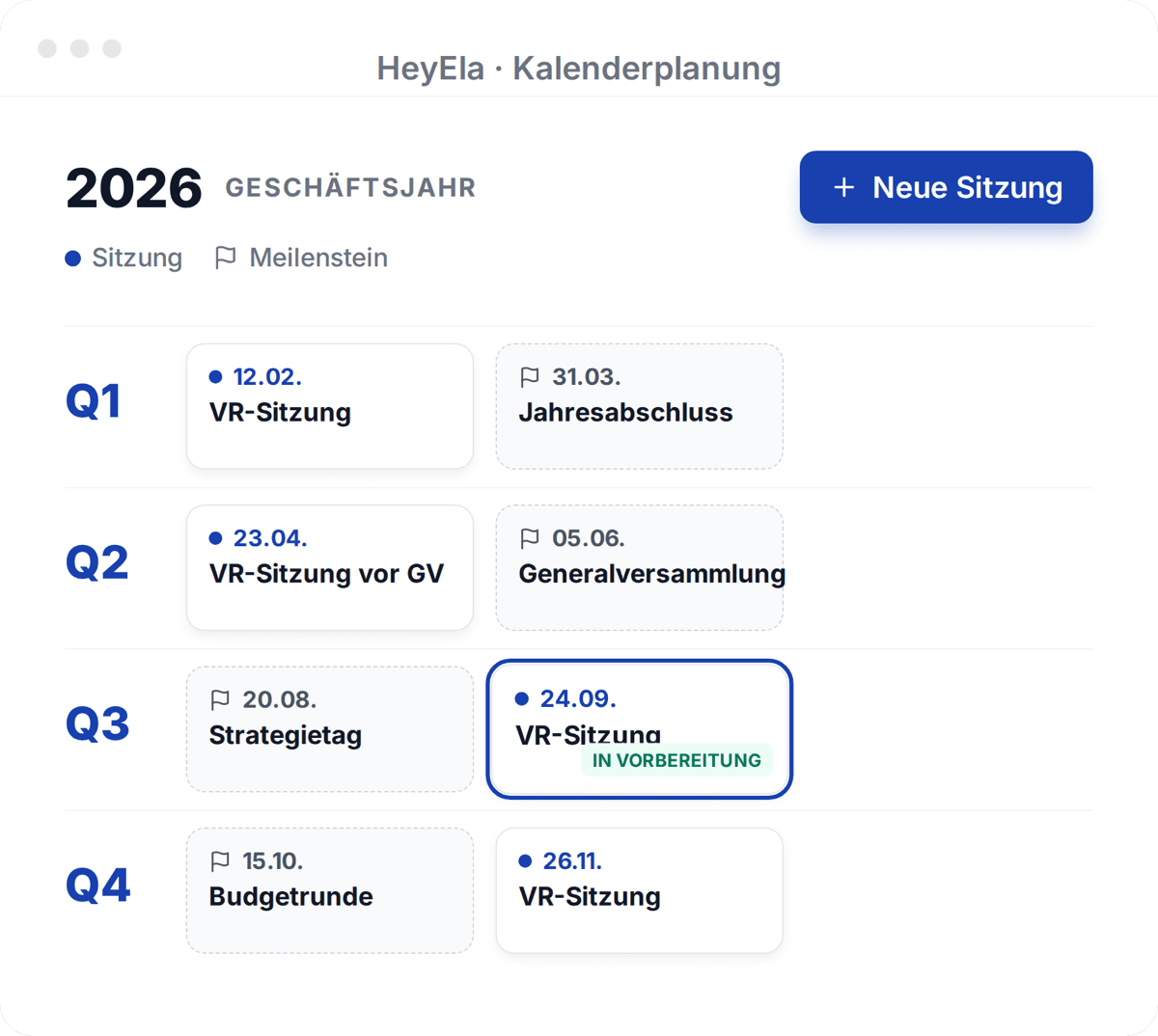
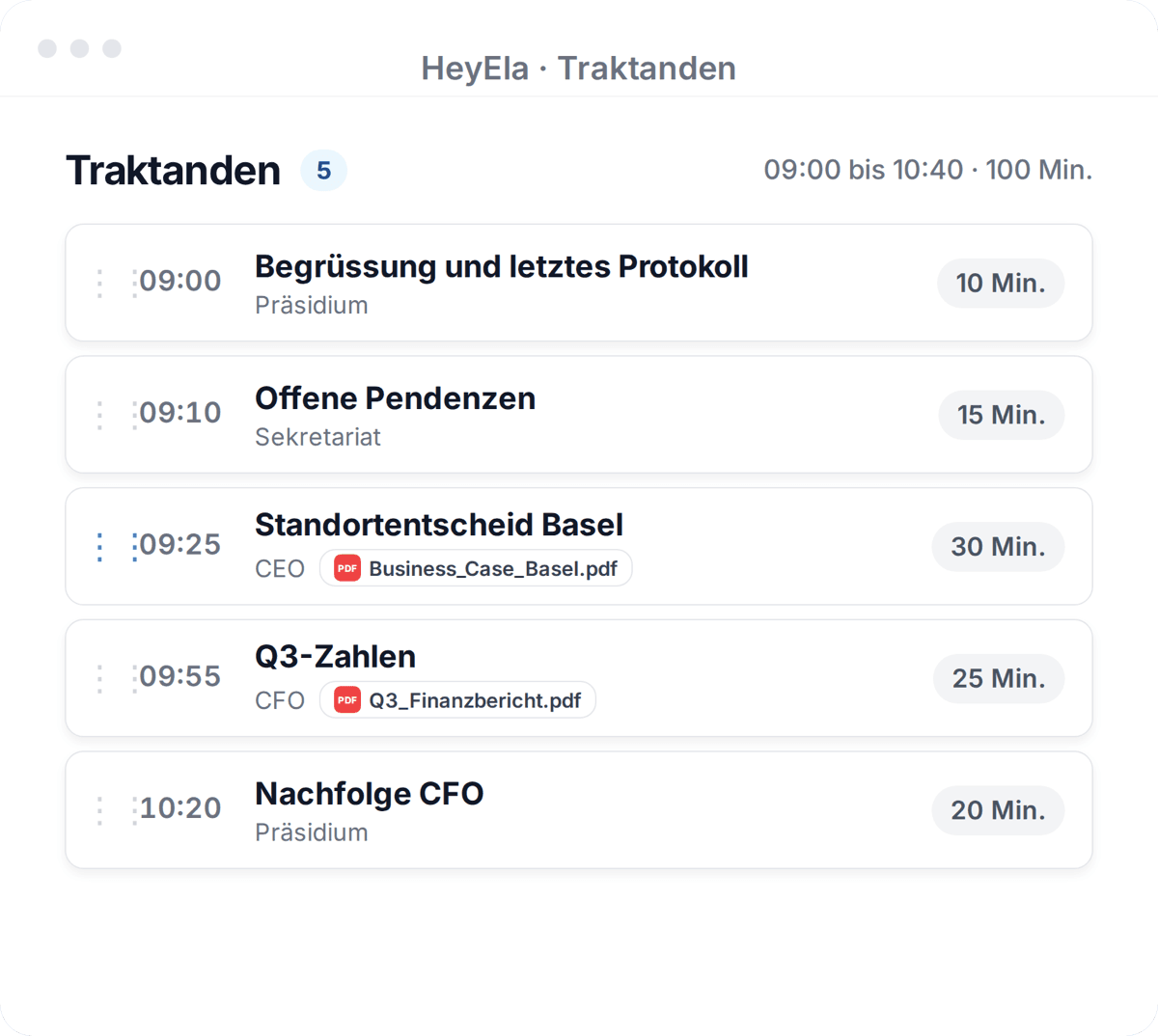
From the annual plan you go straight into preparation. Documents sit at their agenda item, and a late revision replaces the old one without a new email thread.
Read moreShow less
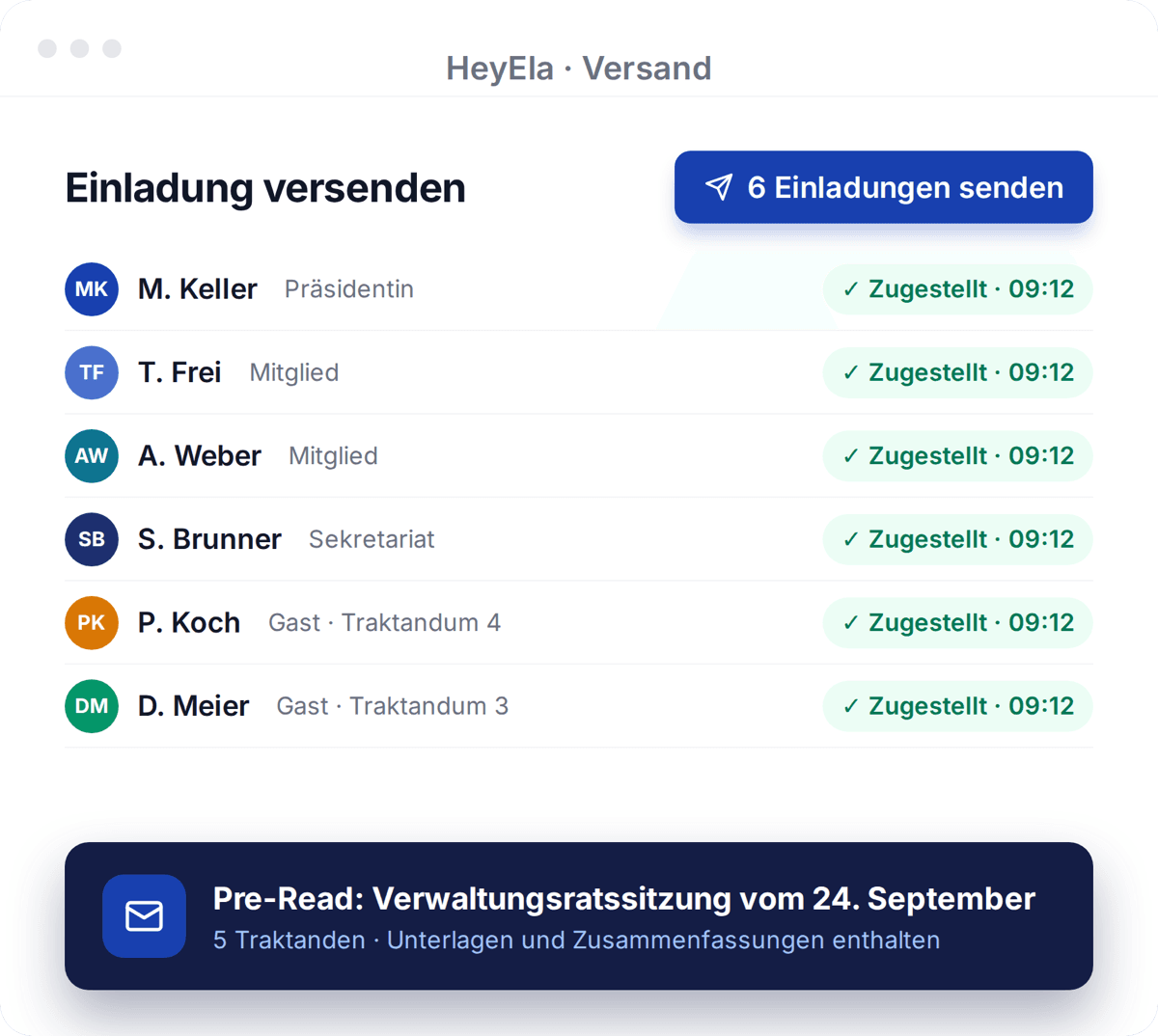
From the annual plan you go straight into preparing the next meeting. In meeting preparation the agenda comes together from a template, from open action items or as an AI draft that you agree with the chair. You attach documents to the agenda item they belong to and invite guests only to their agenda item. The invitation and the pre-read go out from HeyEla, and a late version replaces the old one without starting a new email chain.
Listen instead of taking notes
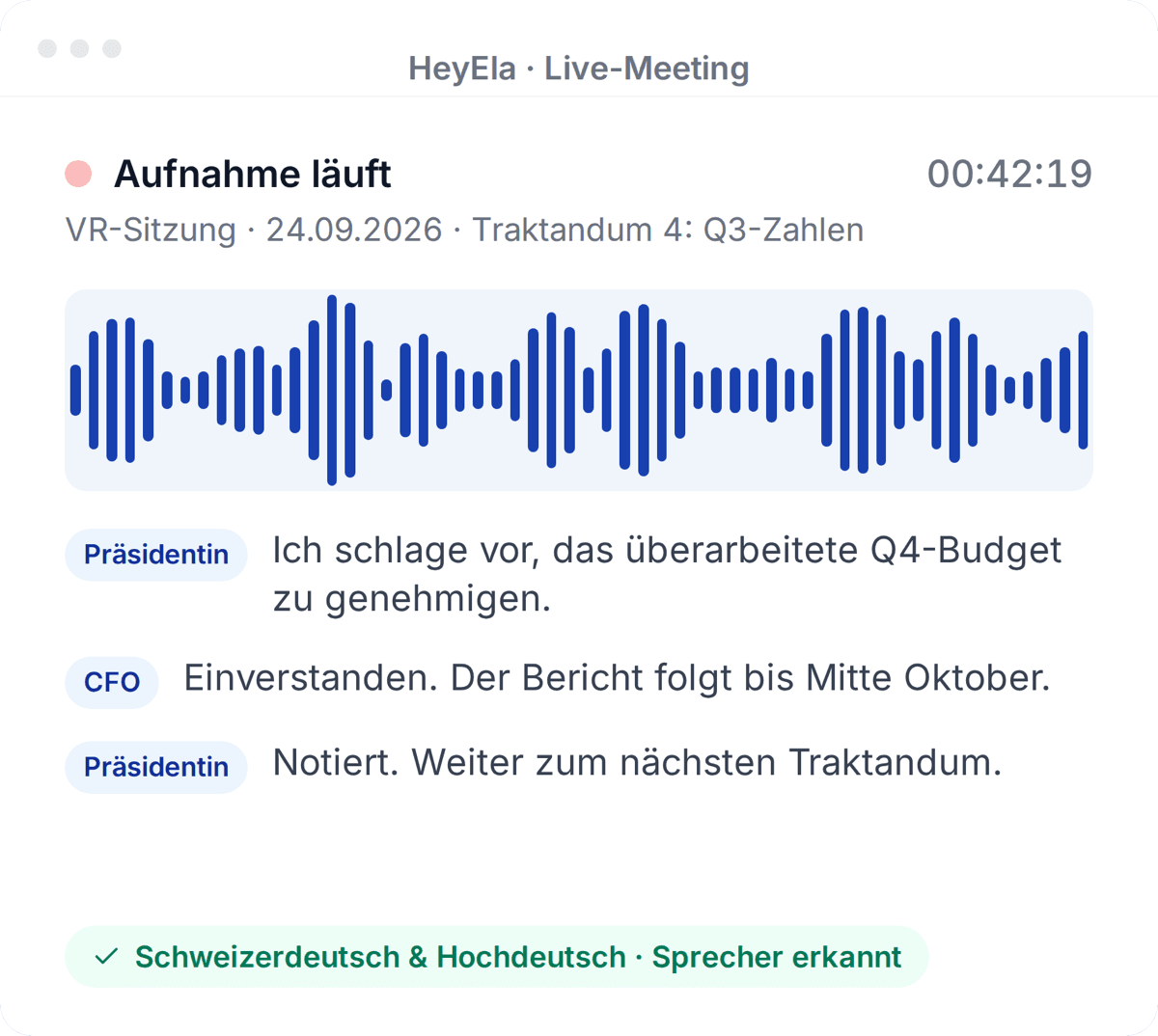
Recording runs in the browser, on a phone or as a meeting bot and understands Swiss German. You follow the discussion instead of writing down every contribution.
Read moreShow less
Live recording runs in the browser, on a phone or as a meeting bot in Microsoft Teams or Google Meet. If there was no connection in the meeting room, you upload the recording afterwards. HeyEla also transcribes Swiss German alternating with High German, recognises the speakers and saves every five seconds. You can follow the discussion instead of writing down every contribution, and after the meeting you correct who said what in a few minutes.
The draft already knows the meeting
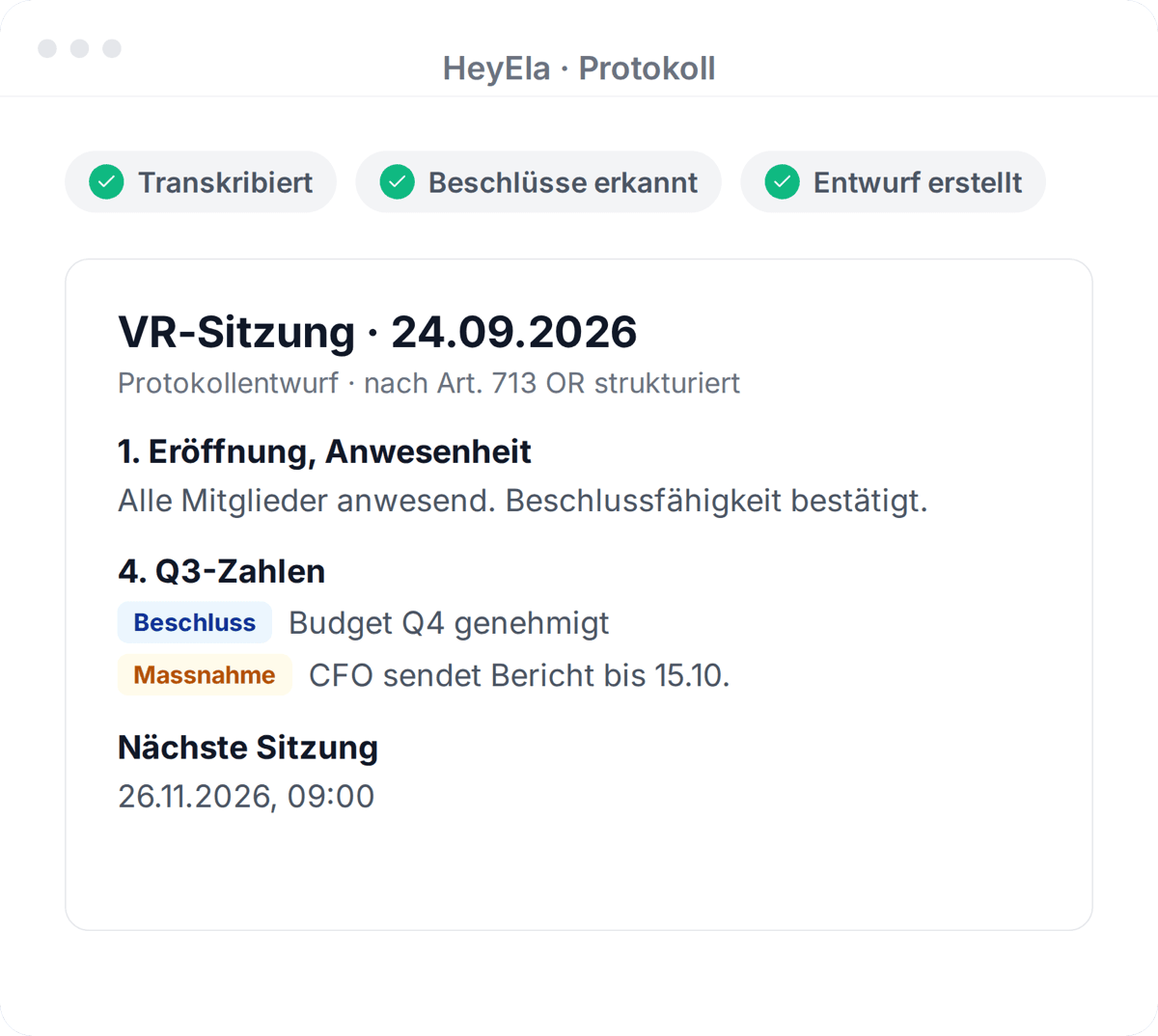
The AI minutes draw on transcript, agenda, attachments and your stored minutes style. You review and refine the draft in the editor, then export it to Word.
Read moreShow less
The AI minutes are built from the transcript, agenda items, attachments and your organisation’s context, structured by meeting type. Because HeyEla works with context rather than just the transcript, motions, decisions and assignments sit under the right agenda item. You store your minutes style, spellings and terminology once. In the editor you review the draft, have sections shortened or sharpened by instruction and export to Word. Teams typically save around 80% of the time they used to spend on minutes.
Approval, signature and extract
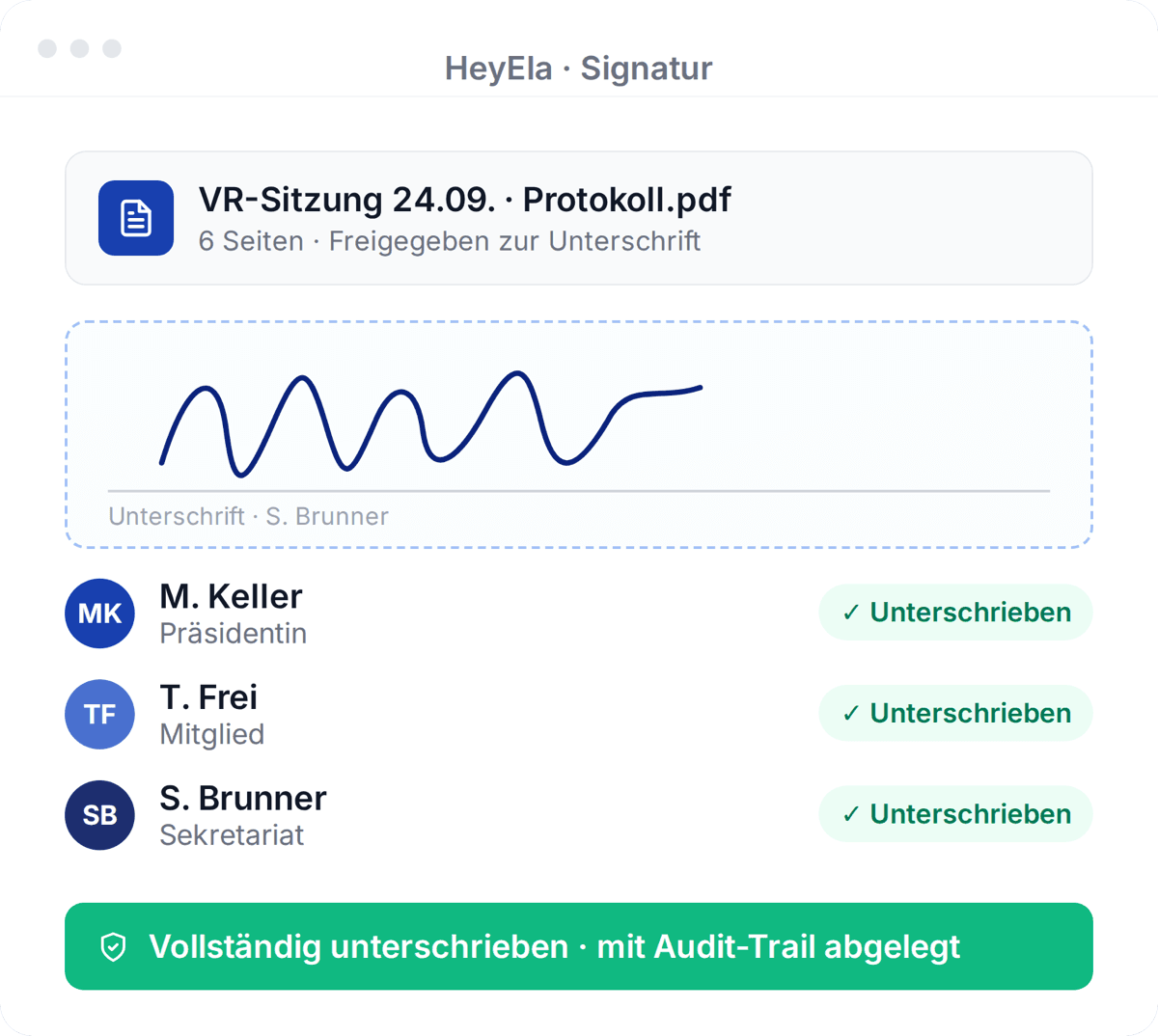
Under Art. 713 CO, chair and minute-taker sign digitally, on mobile too. For the bank, auditors or commercial register you create an extract of selected items.
Read moreShow less
Once the chair has approved the draft, you start the signing round with the digital signature, in sequence or in parallel and on mobile too. You see who is still missing, and the signed minutes are filed in the Document Hub with an audit trail. If the bank, the auditors or the commercial register only need one resolution, you create an extract of minutes with the selected agenda items. The original minutes stay unchanged, and confidential items stay out.
Action items and access, without manual lists
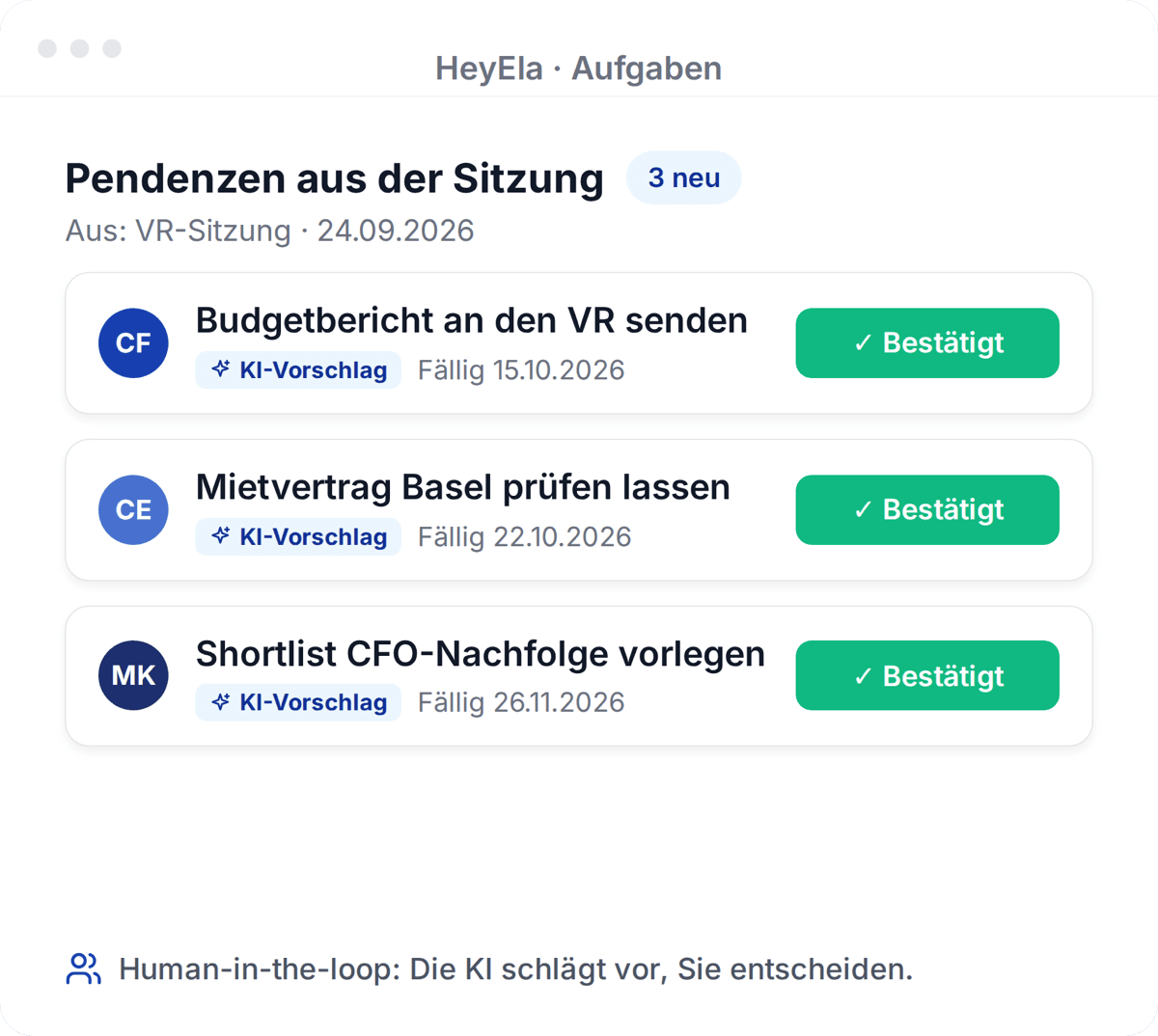
HeyEla suggests action items from the decisions, and you confirm or discard them. Access is managed through roles and groups, and several boards run through one login.
Read moreShow less
HeyEla proposes action items with owners and deadlines from the decisions, and you confirm, correct or discard each proposal. The AI suggests, people decide. In task management you see the status across all meetings, and open items are ready for the next preparation. You manage access through roles and groups instead of one-off permissions, and if you look after several bodies, you work with a single login.
Frequently asked questions
How much time does HeyEla save on minute-taking?
Teams using HeyEla typically save around 80% of the time they used to spend on minutes. Depending on the length, review often takes about five to thirty minutes instead of hours or a whole evening. The time goes into checking and wording rather than typing.
Who is responsible for the minutes when AI writes the draft?
The board, as before. HeyEla delivers a structured draft, while review, approval and signature stay with the chair and the minute-taker. Under Art. 713 para. 3 of the Swiss Code of Obligations both sign the minutes, in HeyEla with the simple electronic signature (SES).
Does HeyEla understand Swiss German?
Yes. HeyEla transcribes Swiss German and High German, even when they alternate in the same meeting, and recognises speakers automatically. You can check and correct the speaker assignment before the minutes are created.
Can HeyEla follow our minutes style?
Yes. With AI instructions and memory you store language, tense, level of detail, structure and terminology once per organisation, and HeyEla applies them to every draft. For your corporate design you export the final minutes to Word, and to PDF for circulation and filing.
Explore more
From the blog
22 October 2026
Signing board minutes electronically: SES, QES and what the Swiss Code of Obligations requires
Swiss law requires two signatures on board minutes, but no particular form. What separates a simple from a qualified e-signature, and how long minutes are kept.
20 October 2026
The extract of minutes in the board: who asks for it, what goes into it and how it is produced
What an extract of minutes is, when the commercial register, a bank, a notary or the auditor needs an extract of a board resolution, and what it must contain.
15 October 2026
The annual plan of the board: meetings, mandatory topics and deadlines across four quarters
How a board plans its meeting year: dates, recurring agenda items such as budget, annual accounts and general meeting, and how they turn into the agenda.
Related use cases
Next step
Watch your next minutes take shape
In a demo we show the path from the agenda to the signed minutes, ideally with your meeting type and your minutes template.